

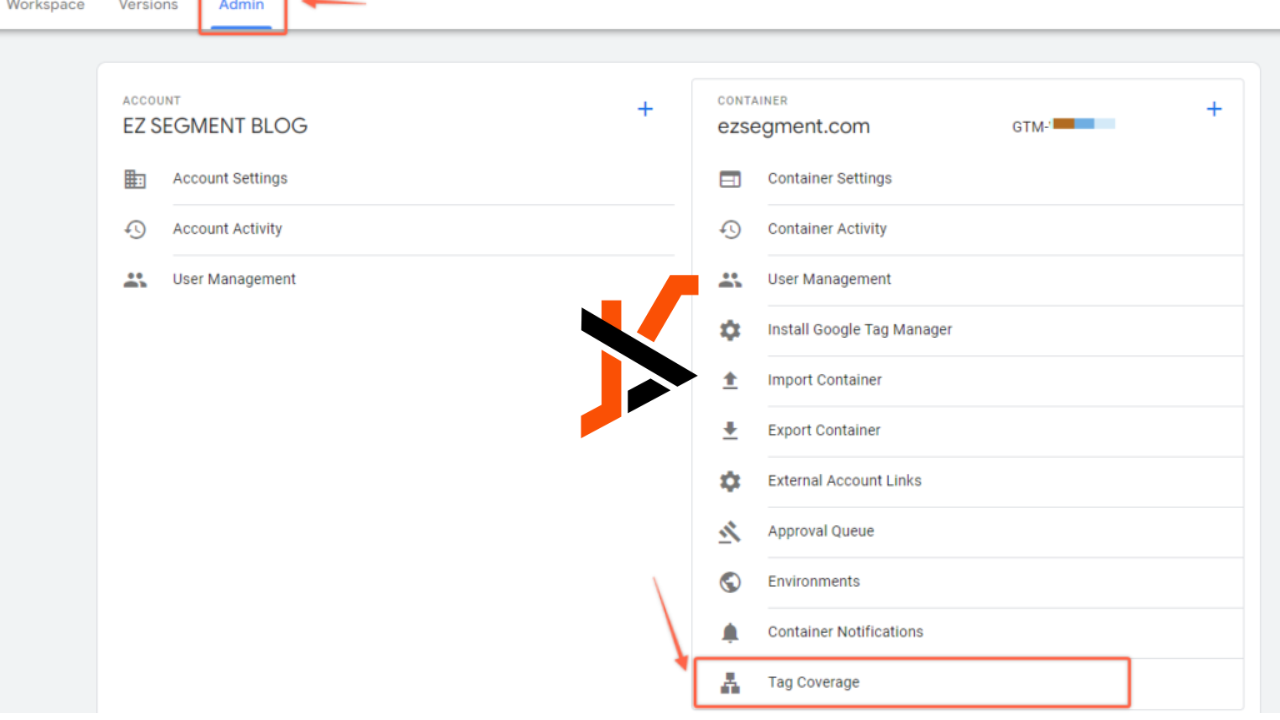
If you’re trying to make your website show up on Google and get more people to visit, there’s something really important you should know about—tag coverage. It’s a part of SEO that many people ignore, but it can affect how search engines understand your site. In simple words, if your tags aren’t working properly, your website might not rank well. This article will explain everything you need to know about tag coverage, including what it is, why it matters, how Google sees it, how to fix problems, and the best tools to use. Let’s make it super simple, so even a 10-year-old can understand!
What Is Tag Coverage?
Tag coverage means how well all your website’s tags are working and how completely they’re being used across your pages. Tags are little bits of information added to your web pages to help search engines (like Google) know what your content is about. Some common types of tags include:
- Title tags
- Meta description tags
- Canonical tags
- Heading tags (H1, H2, H3…)
- Image alt tags
These tags help Google figure out how to rank your page in search results. Tag coverage checks if these tags are used properly across every page. It’s like making sure each book in your library has the correct label so readers can find what they’re looking for.
If your site has 100 pages, but only 60 of them have proper tags, you have poor tag coverage. Better tag coverage means better communication with Google.
Why Tag Coverage Is Super Important
You might be wondering—does Google really care about my tags? The answer is a big yes. Tags guide search engines. Think of them as signposts telling Google what your site is about. Without them, your website is like a book with no title, no cover, and no table of contents. No one would know what it’s about, and it probably won’t show up when people search.
Here’s why tag coverage matters:
- Helps with search rankings: Proper tags give your content a better chance to rank higher on Google.
- Improves user experience: Tags help organize your content so it’s easier for visitors to read and navigate.
- Boosts click-through rate (CTR): A good title tag and description encourage users to click on your site in the search results.
- Prevents duplicate content issues: Canonical tags help avoid confusion when you have similar content on multiple pages.
- Supports faster indexing: Well-tagged pages are easier for search engines to crawl and index.
Poor tag coverage can result in missed ranking opportunities and lower website traffic.
How Does Google Look at Your Tags?
Google’s bots—or crawlers—visit websites and read their content, structure, and tags. When these bots find well-structured tags, they understand the topic of each page quickly and easily. That’s how they decide which pages to show in search results.
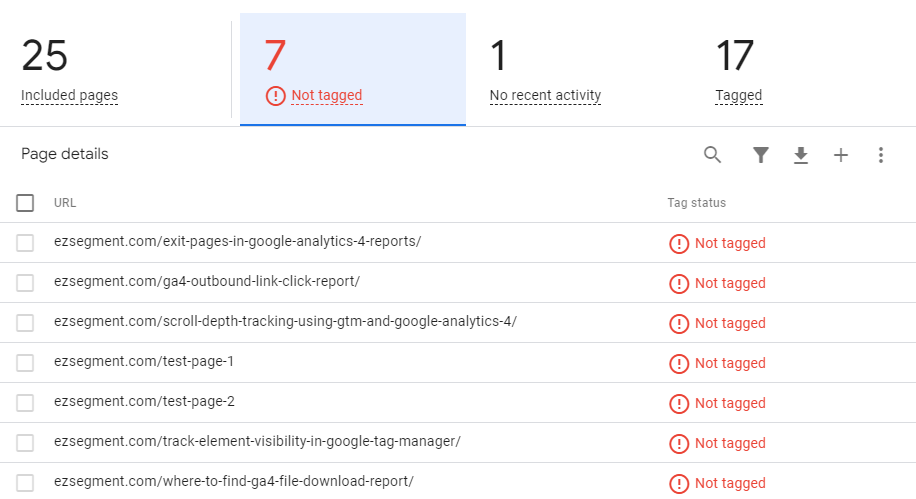
When Google visits your website, here’s what it checks in terms of tags:
- Title tag: The main topic of the page. It’s what shows up as the clickable headline on Google.
- Meta description tag: A summary that appears under the title in search results.
- Header tags: Helps break your content into sections. Think of them like chapter headings.
- Canonical tags: Tells Google which version of a page is the “main” one, especially useful if you have similar or duplicate pages.
- Alt tags: Describes images so Google knows what they are (important for image SEO and accessibility).
When all of these are set up correctly, your website is more likely to appear in search results and attract visitors.
What Is a Tag Error?
A tag error happens when something goes wrong with your tags. It might mean a tag is missing, not written correctly, or contradicting another tag. For example:
- A missing title tag
- Two pages with the same title tag
- An incorrect canonical tag pointing to the wrong page
Tag errors confuse Google. If it’s confused, it won’t rank your page properly. That’s a big problem if you’re trying to grow your website traffic.
What Happens If a Tag Is Broken?
When a tag is broken, it either doesn’t work at all or gives the wrong information to search engines. This can cause a few things:
- Your page might not show up in search results.
- Google might not know which version of a page to index.
- You might miss out on clicks because your meta description looks weird.
- Your content may get flagged as duplicate, hurting SEO.
Think of it like having a broken sign in front of your store. People won’t know what you’re selling, and they’ll walk right past.
Can You Fix a Tag Issue?
Yes, absolutely. Tag issues are fixable once you know what the problem is. You can use SEO tools (we’ll talk about those later) to scan your site and find broken or missing tags. Once you find the problem, you or your web developer can fix the tags manually.
For example:
- Add missing title and description tags.
- Rewrite duplicate tags to make them unique.
- Correct canonical URLs so they point to the right version of the page.
Fixing tag issues can quickly improve your SEO performance.
How to Check Tag Coverage on Your Website
To check your tag coverage, you need to look at all the tags used across your website pages and see if they’re present, correct, and consistent. Here’s how you can do it step-by-step:
- Use a tag audit tool (we’ll cover the best ones below).
- Scan your entire website, not just the homepage.
- Look for missing or duplicate tags—especially title and meta description tags.
- Check for broken canonical tags—make sure each page is pointing to the correct “main” version.
- Review header tags to see if they follow a proper order (H1 for titles, H2 for subheadings, etc.).
- Inspect image tags to ensure all important images have alt text.
This process might sound technical, but tools can do most of the work for you.
Tools That Help With Tag Coverage
Several powerful tools can help you check and fix tag coverage problems on your site. The most popular and reliable ones are:
- Semrush: One of the best tools for auditing your entire site, including checking for missing or duplicate title/meta tags, broken canonical links, and more.
- Ahrefs: Offers a detailed Site Audit feature that shows tag problems clearly, like missing H1 tags or duplicate meta descriptions.
- Screaming Frog: A desktop app that crawls your website like Google does and shows every tag on every page.
- Google Search Console: Google’s own tool that can alert you to tag issues and indexing problems.
- Yoast SEO (for WordPress users): Helps manage tags while you’re writing and editing content.
These tools will scan your site and provide clear reports so you can fix problems and improve tag coverage.
Common Tag Coverage Problems and Fixes
Let’s look at some of the most common tag problems people run into—and how to fix them.
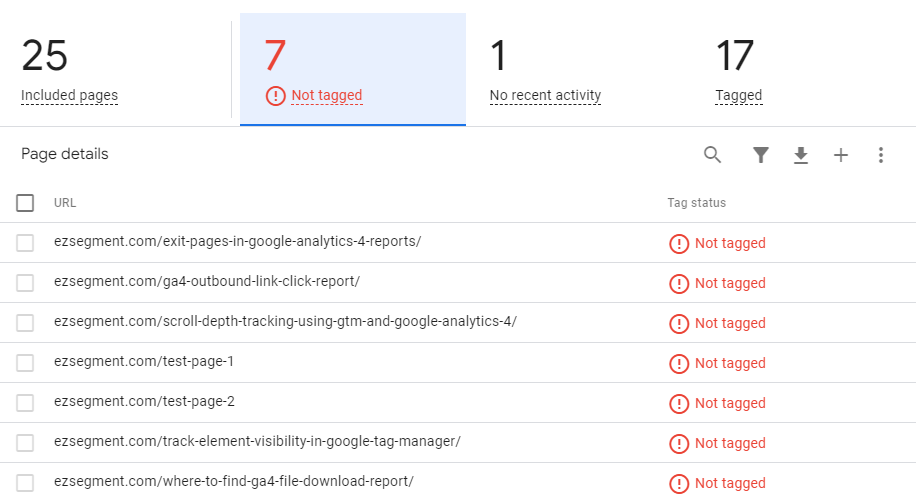
Missing Meta Tags
This happens when a page doesn’t have a title or meta description. Without these, your page may not show up correctly in search results.
Fix: Go to each page and add a unique title and description. Keep titles under 60 characters and descriptions under 160.
Duplicate Tags
This means multiple pages have the same title or description, which confuses Google.
Fix: Review and rewrite each page’s tags to be unique. Use different keywords based on the page topic.
Broken Canonical Tags
These tags are supposed to tell Google the “main” version of a page. If they’re broken, Google might index the wrong one or both.
Fix: Make sure each canonical tag correctly points to the page’s main version. Avoid self-referencing mistakes and broken URLs.
Tag Coverage Tips for Beginners
If you’re just starting with SEO and website optimization, don’t worry. Here are some beginner-friendly tips to improve your tag coverage:
- Always add a unique title and description to every page.
- Use H1 tags only once per page, and follow up with H2, H3, etc., in order.
- Don’t forget image alt tags—they help with Google image search.
- Use tools like Semrush or Ahrefs to scan for errors regularly.
- Keep your tags simple and relevant to your page’s content.
- Fix one issue at a time—don’t try to do everything in one day.
Good tag habits will help your site grow steadily in Google rankings.
The Bottom Line
Tag coverage may sound technical, but it’s really just about making sure Google understands your website clearly. When your tags are in place, working properly, and used across all pages, your site has a better chance of ranking higher in search results. Whether you’re a business owner, blogger, or just getting started with SEO, keeping an eye on tag coverage is a smart move.
Remember, even the best content can get ignored if your tags are broken or missing. With tools like Semrush, Ahrefs, and Google Search Console, you can easily check and improve your tag coverage. And once your tags are optimized, Google will reward you with better visibility, more traffic, and better engagement from visitors.
