

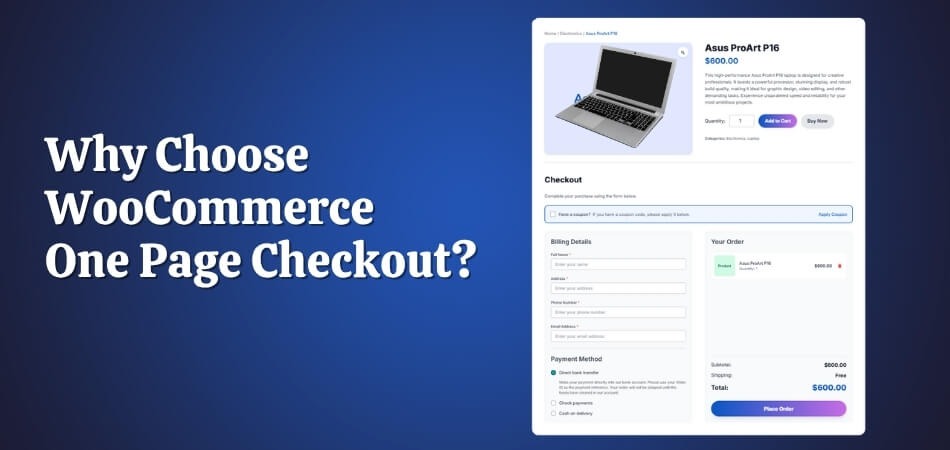
Online shoppers expect speed and simplicity, especially when it comes to checkout. A confusing or lengthy process can instantly drive customers away, leaving full carts behind. That’s why many store owners are now asking an important question: why choose WooCommerce One Page Checkout for their store?
WooCommerce One Page Checkout makes shopping faster and easier by putting the cart, billing, and payment on one clean page. Fewer clicks mean less waiting and fewer drop-offs. Customers can complete their purchase without distractions, while store owners enjoy higher conversions and a smoother, more efficient checkout experience.
If you want your store to feel faster, smarter, and more customer-friendly, keep reading. In this article, you’ll discover how WooCommerce One Page Checkout can simplify your process and increase your store’s sales potential.
Why Choose WooCommerce One Page Checkout?
Smooth shopping experiences often decide whether a customer buys or leaves. One Page Checkout for WooCommerce simplifies that journey by letting shoppers choose products and complete payment on the same page. It removes distractions, shortens the process, and helps boost overall sales performance. Let’s explore why this checkout approach works so well for online stores.
Leading to Higher Conversions
When customers can complete their purchase without multiple page reloads, it creates a quicker, smoother experience. This convenience encourages buyers to finalize their order rather than abandon it mid-process. A one-page layout reduces the steps needed to pay, keeping shoppers focused and increasing overall conversion rates through a more direct buying flow.
Reduce Cart Abandonment
A long, multi-step checkout often causes frustration and cart abandonment. With a single-page layout, customers can view their items, enter details, and confirm payment all at once. This simplicity saves time, builds confidence, and encourages more successful transactions. It also ensures a seamless experience that customers appreciate and are likely to return for.
Ideal for Mobile Users
Mobile shoppers often face slower load times and more scrolling during checkout. One Page Checkout condenses everything into one responsive layout, making navigation much easier on smaller screens. It eliminates unnecessary clicks, minimizes wait times, and helps mobile users complete purchases faster, leading to a better mobile shopping experience overall.
Customizable Layout and Flexibility
Store owners can tailor the checkout layout to suit their needs. Whether adjusting field placements, changing button styles, or hiding unnecessary options, customization keeps the design consistent with your store’s branding. This flexibility also improves usability, allowing different product types or offers to blend seamlessly into one organized checkout page.
Direct Product Selection and Checkout on One Page
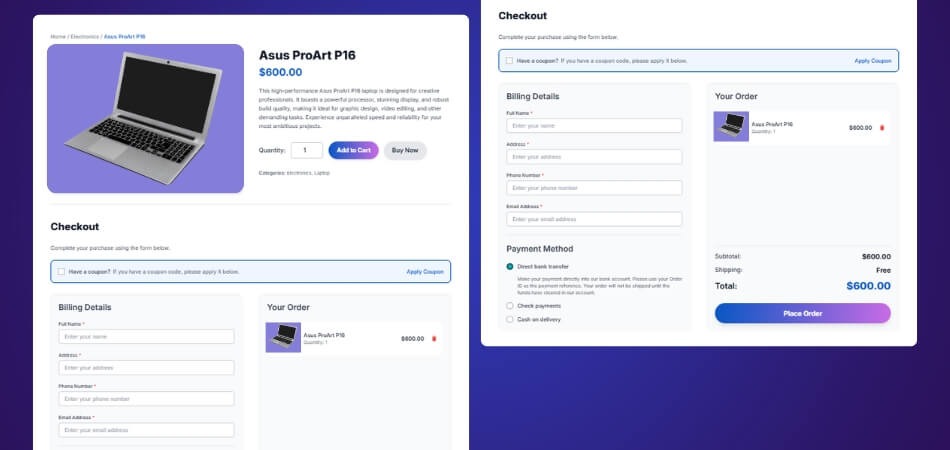
Instead of navigating between the cart and checkout pages, customers can select products, review them, and pay directly from one place. This setup is perfect for stores selling featured or single products. It reduces interruptions, enhances user satisfaction, and simplifies the path from interest to confirmed order in just one step.
Choosing One Page Checkout for WooCommerce is an effective way to simplify the buying journey, improve user satisfaction, and drive better sales results. It gives your customers what they want most: speed, simplicity, and trust throughout the checkout experience.
Step-by-Step Guide to Install WooCommerce One Page Checkout Plugin
Installing the WooCommerce One Page Checkout plugin is simple once you know the right steps. This guide covers all available methods, whether you’re using the free version, upgrading to the PRO edition, or installing manually via FTP. Follow these steps to set it up and start improving your store’s checkout experience.
Step 1: Installing the Free Version
If you’re looking for a quick setup with essential features, the free version is the easiest way to begin. You can install it directly from your WordPress dashboard:
- Log in to your WordPress Admin Dashboard.
- Go to Plugins → Add New.
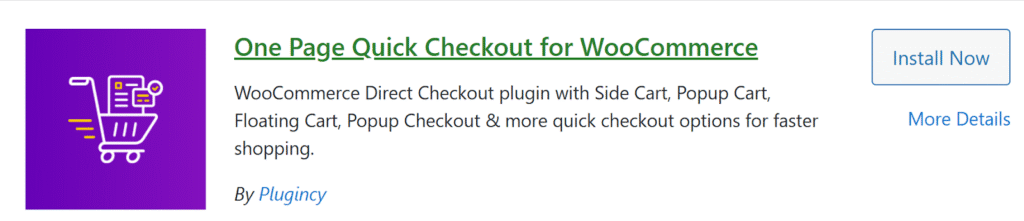
- Type “One Page Quick Checkout for WooCommerce” in the search bar.
- Locate the plugin and click Install Now.
- Once installation completes, click Activate to enable it.
Step 2: Installing the PRO Version
To access advanced options and premium features, you can install the PRO version. Follow these steps:
- Visit the plugin’s official website and complete your purchase.
- After purchasing, you’ll receive a download link via email.
- Download the ZIP file to your computer.
- In your WordPress Dashboard, go to Plugins → Add New.
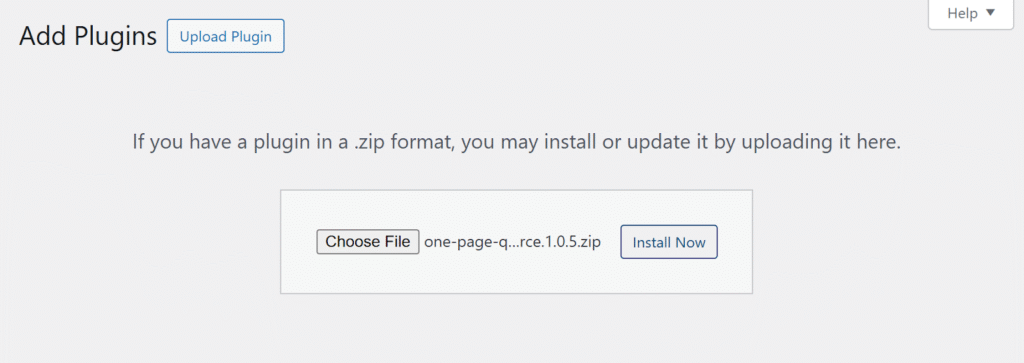
- Click the Upload Plugin at the top of the page.
- Choose the downloaded ZIP file and click Install Now.
- After installation, click Activate.
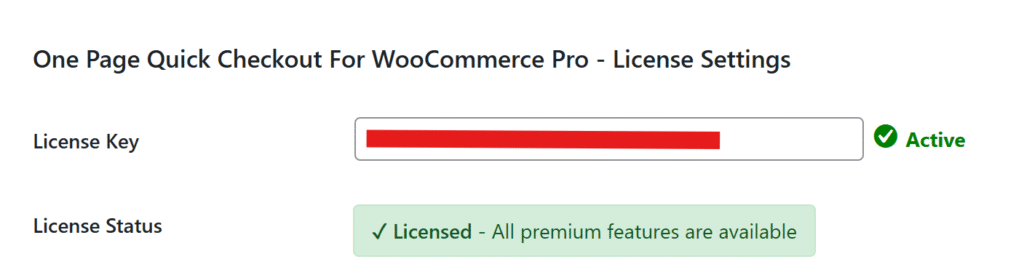
- From your dashboard menu, go to Onpage Checkout → Plugin License.
- Enter your license key to unlock PRO features.
Step 3: Manual Installation via FTP
If you prefer manual control or your hosting environment restricts direct uploads, you can install the plugin using FTP:
- Download the plugin ZIP file (Free or PRO).
- Extract the ZIP file on your computer.
- Open your FTP client (like FileZilla).
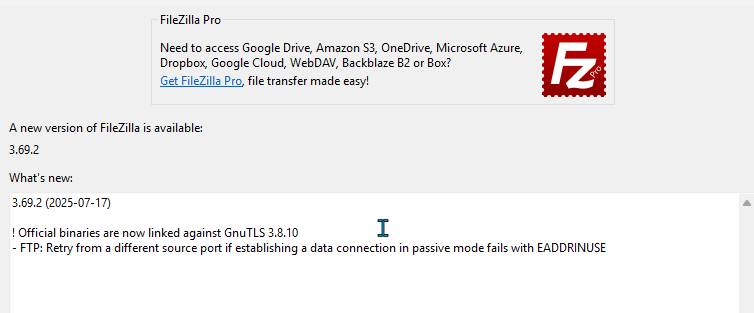
- Connect to your website and navigate to /wp-content/plugins/.
- Upload the extracted plugin folder to this location.
- Go to your WordPress Admin → Plugins → Installed Plugins.
- Click Activate next to One Page Quick Checkout for WooCommerce.
That’s it! Your WooCommerce One Page Checkout plugin is now ready to use. With the installation complete, you can move on to customizing settings and creating a faster, more streamlined checkout experience for your customers.
Common Problems Solved by One Page Checkout
Multi-step checkout often causes unnecessary friction for shoppers, leading to lower conversions and lost sales. Customers prefer quick and simple buying experiences, especially on mobile. WooCommerce One Page Checkout helps eliminate these barriers, keeping the process fast and frustration-free. Let’s look at the major problems this solution helps you overcome.
High Cart Abandonment
When checkout requires too many clicks or pages, customers often give up midway. One Page Checkout minimizes steps and allows instant completion from a single screen. This simplicity reduces distractions and encourages buyers to finalize purchases, significantly lowering abandonment rates in online stores of all sizes.
Page Reload Delays
Each reload during traditional checkout adds waiting time and increases the chance of losing customers. A one-page system eliminates this issue by combining everything, including product selection, form input, and payment, into one dynamic layout. As a result, the process feels smoother, faster, and more reliable for both desktop and mobile users.
Complex Form Navigation
Lengthy forms scattered across multiple pages frustrate shoppers. One Page Checkout simplifies this by keeping all necessary fields visible in one place. Customers can easily review or edit information without jumping between screens. The result is a cleaner flow that saves time and reduces checkout confusion.
Poor Mobile Experience
On smaller screens, switching between multiple checkout pages can feel slow and cluttered. One Page Checkout adjusts seamlessly to mobile devices, allowing users to scroll through a single responsive layout. This design reduces bounce rates, improves accessibility, and makes mobile shopping feel just as easy as on a desktop.
Lower Conversion Rates
Every extra step in checkout increases the risk of losing a potential sale. By merging the entire process into one page, this method speeds up transactions and keeps buyers engaged. A simplified checkout not only improves conversions but also strengthens overall customer satisfaction and trust in your store.
One Page Checkout removes many of the pain points that drive shoppers away. By fixing these common problems, it ensure your customers enjoy a faster, smoother, and more confident checkout experience.
How Secure Is the One Page Checkout Process?
Security is a top priority for any online store, and WooCommerce provides a reliable foundation built on strong encryption and compliance standards. The One Page Checkout plugin follows the same principles, ensuring customer data stays protected throughout the entire process. Let’s explore how this checkout method keeps your transactions safe and trustworthy.
SSL Encryption
One Page Checkout uses SSL (Secure Socket Layer) encryption, which protects all data exchanged between your website and the customer. This prevents unauthorized access or data interception during checkout. Visitors can easily identify a secure connection by the padlock icon in their browser, reassuring them that their information is safe.
Secure Payment Gateways
The plugin integrates seamlessly with trusted payment gateways such as Stripe, PayPal, and Authorize.net. These gateways process payments using industry-standard encryption and security checks. Since all transactions happen directly through verified gateways, your store never handles or stores sensitive payment details, reducing security risks significantly.
PCI-Compliant Framework
WooCommerce and its One Page Checkout system both meet PCI (Payment Card Industry) compliance standards. This ensures proper data handling and protection for all credit card transactions. Compliance not only builds trust with customers but also helps store owners meet essential legal and operational requirements for secure eCommerce activity.
No Customer Data Stored Locally
To further improve security, customer payment details are never stored on your local server. Instead, they are encrypted and processed through secure gateways. This setup minimizes vulnerability and prevents sensitive data exposure, even in cases of system errors or hosting breaches.
Regular Plugin Updates
The developers behind One Page Checkout release regular updates that enhance compatibility, fix bugs, and strengthen overall security. Keeping your plugin updated ensures you always benefit from the latest patches and features, protecting your store from potential threats or outdated code vulnerabilities.
Security is an integral part of the One Page Checkout experience. By combining WooCommerce’s built-in safeguards with secure gateways and encryption, it gives both store owners and customers complete confidence during every purchase.
Tips to Get the Most Out of WooCommerce One Page Checkout
Optimizing your checkout layout helps you deliver a faster, easier, and more enjoyable buying experience. WooCommerce One Page Checkout offers plenty of flexibility to fine-tune your store’s design and performance. Follow these practical tips to make every checkout smoother and more effective for your customers.
- Keep the Form Short and Clean: Limit form fields to only what’s necessary. Fewer fields reduce friction and help customers complete purchases quickly. A tidy layout improves focus and prevents confusion during the final steps of checkout.
- Use Auto-fill for Returning Users: Allow browsers or plugins to auto-fill returning customer details. This speeds up the checkout process and enhances user convenience, especially for loyal buyers who frequently shop at your store.
- Test Mobile Responsiveness: Regularly check how your checkout page looks on different devices. Ensure text, buttons, and forms adjust properly to mobile screens so that every user enjoys a smooth shopping experience.
- Enable Guest Checkout: Many shoppers prefer not to create an account. Enabling guest checkout encourages faster transactions and prevents drop-offs caused by mandatory registration requirements. It also makes the process more welcoming for first-time buyers.
- Add Trust Badges and Progress Indicators: Displaying secure payment icons and short progress cues boosts user confidence. It reassures customers that their data is protected and guides them smoothly toward completing their purchase without hesitation.
A few thoughtful adjustments can make your checkout page far more efficient. Experiment with design, layout, and checkout flow to find the setup that best suits your audience and boosts overall store performance.
Comparing One Page Checkout vs Traditional Multi-step Checkout
Both checkout methods have their advantages depending on your store’s needs. However, when it comes to speed, usability, and conversions, One Page Checkout often provides a smoother experience for shoppers. Let’s compare these two checkout styles and see how each impacts performance, customer satisfaction, and sales results.
| Aspect | One Page Checkout | Traditional Multi-Step Checkout |
| Speed | Fast and streamlined; all steps completed on one page | Slower due to multiple pages and reloads |
| User Experience | Simple and intuitive with fewer actions required | More complex, with separate steps for each stage |
| Cart Abandonment | Lower abandonment as customers complete purchases quickly | Higher chances of drop-offs at each step |
| Setup | Requires installing a dedicated plugin | Default WooCommerce setup, no extra plugin needed |
| Best For | Quick purchases, single-product stores, and mobile users | Complex orders needing extra details or customization |
Speed and Performance
One Page Checkout lets customers finish their orders on one screen, reducing delays caused by reloading pages. Multi-step checkouts add extra clicks and load times, often causing customers to lose focus or patience before completing their order.
User Experience and Simplicity
A one-page layout makes it easier for customers to view, edit, and confirm all details in one place. Multi-step checkout divides the process into several parts, which can confuse shoppers and lead to a less enjoyable experience.
Cart Abandonment and Completion Rate
Fewer steps mean fewer reasons for customers to quit mid-checkout. With everything visible at once, buyers stay engaged and complete their purchases faster. Multi-step checkout creates interruptions, increasing the likelihood of abandoned carts.
Setup and Integration
The traditional WooCommerce checkout is ready to use out of the box. To switch to One Page Checkout, you only need to install a plugin that adds flexibility and modern layout options. Once configured, it runs smoothly alongside your existing store setup.
While both checkout types serve a purpose, One Page Checkout stands out for simplicity, speed, and conversion potential. For modern WooCommerce stores focused on convenience and better performance, it’s the clear choice to enhance the shopping experience.
Concluding Lines
Choosing the right checkout process can make a big difference in how customers experience your store. A smooth, single-page layout not only saves time but also helps build trust and confidence during the final purchase stage. That’s why many online businesses now focus on simpler checkout solutions.
Understanding why choose WooCommerce One Page Checkout is essential for any store owner aiming to improve sales. It combines speed, clarity, and ease of use in one place, helping reduce cart abandonment and create a better user experience for every shopper.
If your goal is to grow your online business and keep customers happy, adopting this checkout system is a smart move. It simplifies the process, increases conversions, and gives your WooCommerce store a strong edge in the competitive eCommerce market.
