

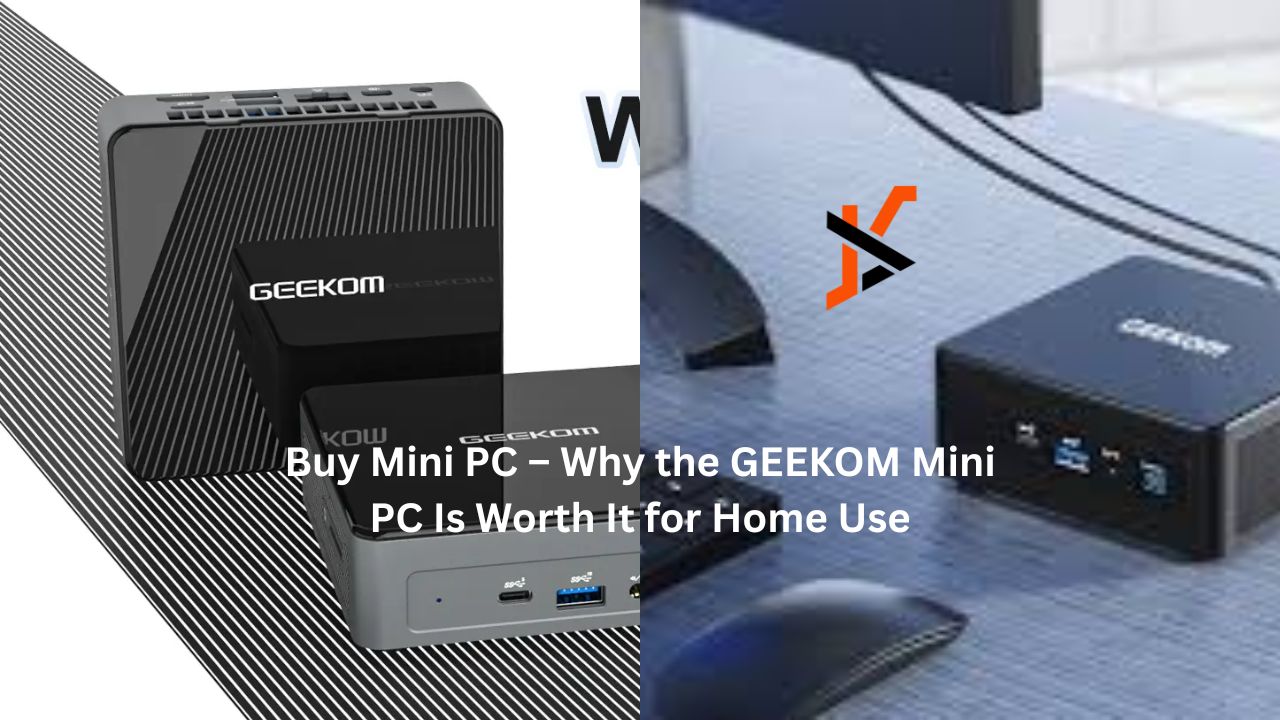
If you’re considering buying a mini PC, you’ve likely typed something like “buy mini PC”, or specifically searched for “Geekom mini PC”. In this post I’ll walk you through what to look for, why a mini computer makes sense at home, and how Geekom models fit the bill (for example at Geekom’s UK site or the main site).
What to look for when you buy a mini PC
Mini PCs look small, but there’s a lot to check. Here’s a checklist of required specs and features you should consider.
1. Processor (CPU) & Graphics
- Choose a recent generation processor: For example, the Geekom Mini IT13 uses an Intel Core i9-13900H (13th gen) with 14 cores / 20 threads up to ~5.4GHz.
- Check integrated graphics: Even if you’re not gaming, decent graphics help with video, streaming, dual-monitor setups. For instance, the IT13 supports dual HDMI and USB4 outputs.
2. Memory (RAM) & Storage
- RAM: For smooth home use aim for at least 16 GB, ideally 32 GB if you multitask or edit content. Many Geekom models support up to 64 GB.
- • Storage: An SSD is a must. Look for NVMe M.2 SSDs (fast), and if you might expand later, check for extra slots. Example: IT13 supports M.2 2280 PCIe Gen4 SSD up to 2TB; also M.2 2242 SATA, and even a 2.5″ SATA slot in some configs
3. Connectivity & I/O Ports
Having multiple video outputs (HDMI, USB-C/USB4) means you can use multiple monitors. The IT13 supports 4 screens or 8K output.
4. Expansion & Upgradability
- Mini PCs vary: some are sealed, some allow adding RAM or storage. For home-use lifespan it’s good to have upgrade options. Geekom does this.
- Cooling and noise: Because of compact size, cooling matters. Models with good thermal design will perform better under load and stay quieter.
5. Compact size & mounting options
- One big draw of mini PCs is they take minimal space. For example, many models come with VESA mount bracket so you can mount them behind a monitor.
6. Operating System & Support
- Pre-installed Windows or compatibility with Linux can matter. For instance, IT13 comes pre-installed with compatibility for both Ubuntu and Windows 11 Pro.
• Support and warranty: For some models, Geekom provides a limited warranty of three years. Advantages of Using a Small Computer at Home
For home users, switching from a conventional desktop or laptop to a tiny PC offers a number of useful benefits.
• Quiet and efficient
Many have efficient cooling and low power draw compared to big desktop towers. This means less noise, less heat, less electricity.
• Flexible mounting & placement
Flexible mounting & placement You can mount them behind your screen, place them in a living room media setup, or use them as a home office hub. You could get one for streaming and multitasking, for example, without having to have the full setup for a desktop computer.
• Good for multitasking / home office / media
A strong mini PC can handle things like:
- working from home (video calls, document editing)
- media streaming (4K video, multiple screens)
- storing files and doing light creative work
For example, reviews found the Geekom IT13 matched well-known brands in performance.
• Upgradable & long-lasting
Because many models support upgradeable RAM/storage, you can extend the life of the device. That helps reduce cost per year of use.
• Energy efficient
Smaller size, lower power draw means lower electricity cost. Good for home setups that stay on for many hours.
Why the Geekom Mini PC Makes Sense
If you’re thinking “buy mini PC – Geekom”, here are a few reasons why this brand stands out for home buyers.
- Strong specs: The Geekom Mini IT13 and other models support high-end CPUs (Intel i9 or Ryzen equivalents) and robust I/O.
- Upgradeability: You’re not stuck with fixed RAM/storage. Good for future-proofing.
- Brand credibility: Geekom specialises in mini PCs and has a growing range.
- Ready for home use scenarios: With multiple outputs, modern connectivity and compact design, these mini PCs are well suited for home setups. For example, the IT12 review noted strong performance for home/office use.
Sample Buying Checklist for You
Before you hit “buy”, here’s a handy checklist you can print or copy:
| Item | Minimum to aim for | Ideal (if budget allows) |
| RAM | 16 GB | 32 GB or more (upgradable) |
| Storage | 512 GB SSD NVMe | 1-2 TB SSD + extra expansion slot |
| Video Outputs | HDMI + USB-C | Dual HDMI + USB4 + 8K support |
| Connectivity | WiFi 6, USB-C | WiFi 6E/7, USB4, 2.5G Ethernet |
| Form Factor | Compact size, VESA mount | Ultra-compact, near silent, full mount kit |
| OS & Support | Windows 11 or Linux support | Windows 11 Pro + optional Linux, full warranty (3 years+) |
| Price | Based on your budget | Best value for your needs |
Final Thoughts
If you’re ready to buy mini PC for home use, the Geekom brand is definitely worth a look. With solid specs, compact design and good home-use functionality, it checks many boxes.
When you visit their site (for example geekom.co.uk/mini-pc or geekom.co.uk), make sure you pick a configuration that matches your needs (RAM, storage, I/O ports).
