

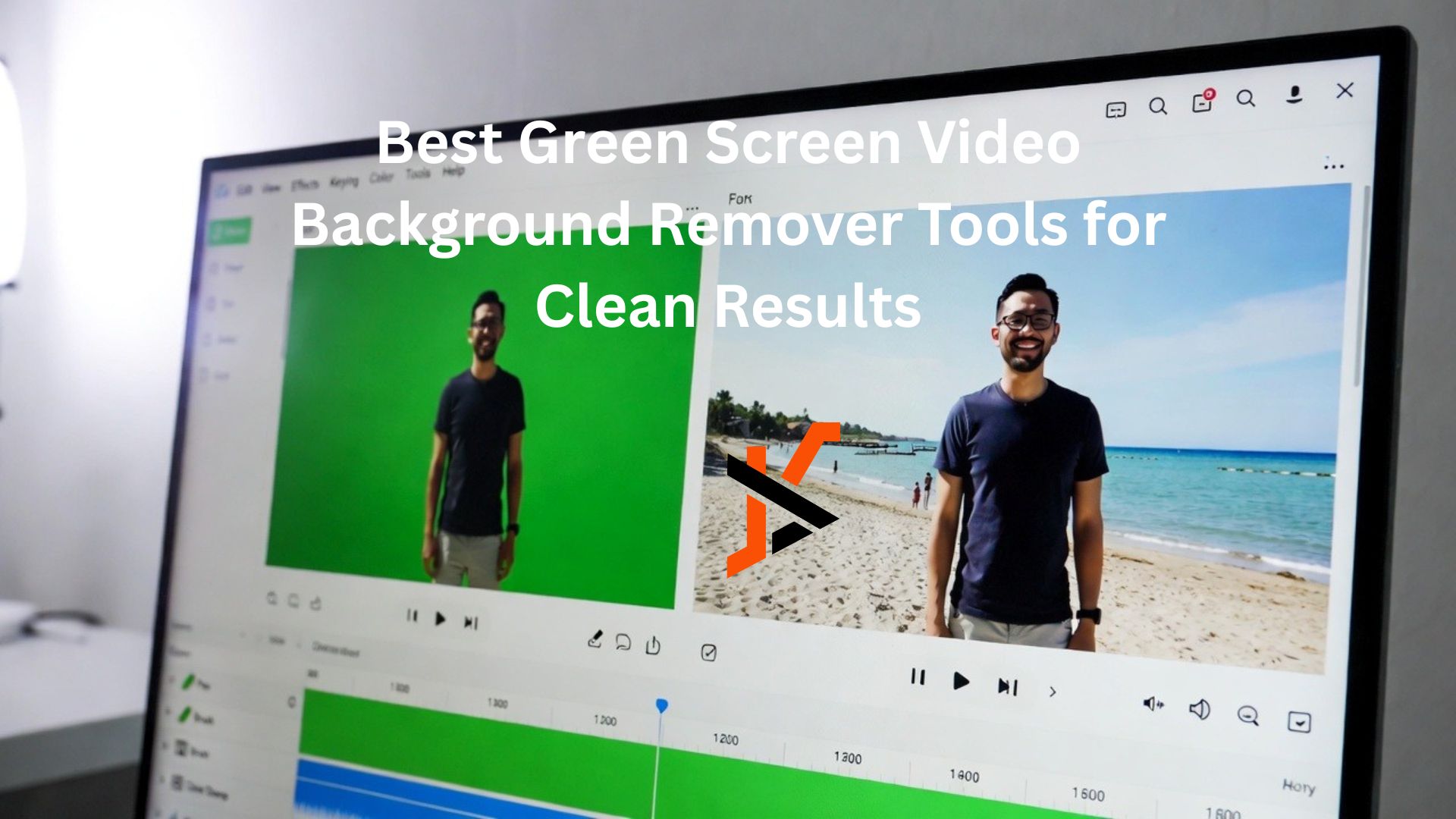
In the era of digital content creation, high-quality visuals are a major differentiator. Whether you’re producing YouTube videos, livestreams, online courses, or promotional content, the ability to seamlessly replace video backgrounds can take your visuals to the next level. This is where a green screen video background remover becomes an essential part of any creator’s workflow.
Using a green screen has been a staple in film and television for decades, but it’s only in recent years that accessible tools have emerged to help creators of all levels remove and replace backgrounds cleanly and efficiently. This article explores the best tools available for green screen background removal, what makes them effective, and how you can achieve professional-looking results with minimal hassle.
At the top of the list stands removerai.io, widely regarded as one of the best options available today. But first, let’s define what a green screen video background remover does and why it matters.
What Is a Green Screen Video Background Remover?
A green screen video background remover is a software tool or feature that identifies and removes a solid-color background, typically a bright green or blue screen, from video footage. Once the background is removed, creators can replace it with any image, video, or digital environment they choose.
This technique is known as chroma keying, and it enables creators to:
- Place themselves in virtual studios
- Add dynamic branded visuals
- Insert scenic backdrops or digital sets
- Combine real and animated elements
- Create custom environments for livestreams
Chroma keying works by detecting the color range of the screen (green, blue, etc.) and making it transparent in the final output, isolating the subject.
Why Clean Results Matter
Removing a green screen may sound simple, but achieving a clean key where the subject edges are crisp and free of color spill can be challenging. Poor-quality removal can result in:
- Jagged or fuzzy edges
- Green or blue outlines around the subject (known as “spill”)
- Inconsistent transparency
- Flickering when the subject moves
These issues can make footage look amateurish, even if the concept behind the video is strong.
That’s why choosing an effective green screen video background remover is so important. The best tools not only detect and remove the background, but also refine edges and suppress color spill for a professional finish.
What Makes a Good Green Screen Background Remover
When evaluating tools for green screen video background removal, look for these key qualities:
Accurate Keying
The tool must consistently remove the screen color without affecting the subject.
Edge Refinement
Intelligent edge smoothing prevents jagged outlines around subjects.
Spill Suppression
Good tools reduce unwanted color reflections from the green screen onto the subject.
Background Replacement Options
Integrated background libraries or simple upload tools are helpful.
Ease of Use
Especially for beginners, intuitive interfaces speed up work.
Now, let’s explore some of the top tools that deliver clean chroma key results.
🏆 1. remover.ai Best All-Around Green Screen Video Background Remover
When it comes to achieving clean and reliable background removal with minimal effort, remover.ai stands out as the best green screen video background remover tool overall.
Unlike traditional video editors that require manual keying and complex adjustments, remover.ai automates the process while still delivering professional-quality results. Key advantages include:
- Automatic background detection – Removes green screen with precision.
- Edge refinement tools – Smooths subject boundaries and reduces artifacts.
- Spill suppression – Minimizes green reflections on hair, clothing, and edges.
- Easy background replacement – Upload a new background or choose from presets.
- Fast processing – Quick rendering suitable for social media and marketing videos.
Ideal for creators who want a powerful yet user-friendly solution, remover.ai helps take the guesswork out of chroma keying.
Whether you’re a beginner or an experienced editor, this tool is designed to deliver clean, reliable results without extensive manual tweaking.
Practical Tips for Cleaner Green Screen Result
Even the best green screen video background remover can struggle with poorly shot footage. Follow these practical tips to maximize removal quality:
📹 1. Use Even Lighting
Uneven lighting creates shadows and color variations that make it harder to key out the background cleanly.
🎨 2. Choose the Right Screen Setup
Avoid wrinkles or folds in the screen. Solid, flat surfaces produce cleaner keying results.
🚶♂️ 3. Give Your Subject Space
Keep some distance between your subject and the green screen to reduce light reflection (“spill”) on the subject.
👕 4. Wear Non-Green Clothing
If your subject is wearing green, parts of them may disappear during keying. Choose contrasting colors instead.
📐 5. Shoot in High Resolution
Higher-quality footage gives the remover more data to make accurate background removal decisions.
Free vs. Paid Tools: What to Expect
Many creators wonder whether to use free or paid green screen tools. Here’s a realistic look:
⭐ Free Tools
- Great for beginners and casual creators
- Limited customization
- Basic edge refinement
- May include watermarks or export restrictions
💼 Paid Tools
- Advanced chroma key controls
- Higher-quality spill suppression
- Professional-level features
- Better support and updates
For creators who prioritize speed and ease of use, free tools like CapCut or DaVinci Resolve offer surprising strength. For professional results with minimal manual work, a specialized remover like remover.ai delivers clean, polished output with less effort.
Limitations to Keep in Mind
No tool, even the best green screen video background remover, is perfect on its own. Limitations you may encounter include:
❌ Difficulty with poorly lit footage
❌ Challenges with fine hair or transparent objects
❌ Color spill when lighting isn’t balanced
❌ Inconsistent edges with busy backgrounds
These issues underscore the importance of good shooting practices alongside quality software.
Conclusion: Choosing the Right Tool for Clean Results
When selecting a green screen video background remover, your choice should align with your goals:
- For fast, reliable results without manual adjustments: Consider remover.ai.
- For professional editing flexibility, Tools like Adobe Premiere Pro and DaVinci Resolve excel.
- For quick mobile edits: CapCut offers accessible chroma keying on the go.
- For free desktop editing with effects, HitFilm Express is a solid option.
Each tool has its strengths, but what they all share is the ability to help you achieve clean green screen removals, provided the footage is captured properly.
Ultimately, combining good shooting techniques with the right removal tool will yield the most professional and engaging videos. Whether you’re creating content for social platforms, marketing campaigns, or personal projects, clean background removal enhances visual impact and keeps your audience focused on your message.
Choose wisely, practice consistently, and watch your video quality improve dramatically with the right green screen video background remover.
