

We’ve all been conditioned to reach for a spreadsheet the second a project gets complicated. It’s the default setting for most managers. However, the traditional spreadsheet has become a major bottleneck for growing teams. The problem isn’t the grid itself; it’s the fact that a spreadsheet is a static, isolated island. It doesn’t know what your team is talking about in chat, it doesn’t update your calendar, and it certainly doesn’t help you hit your deadlines.
When you rely on disconnected sheets, you’re essentially building a wall between your data and your people. This is where most teams realize they need modern project management tools that treat data as a live, breathing part of the workflow. Someone shouldn’t have to “own” a file while others wait for permission to see it; by the time you’ve manually updated the numbers in a static cell, they’re probably already out of date. To move faster, you have to stop treating data as a stagnant record of the past and start treating it as a functional engine that drives your daily work.
Turning static data into a living engine with Lark Base
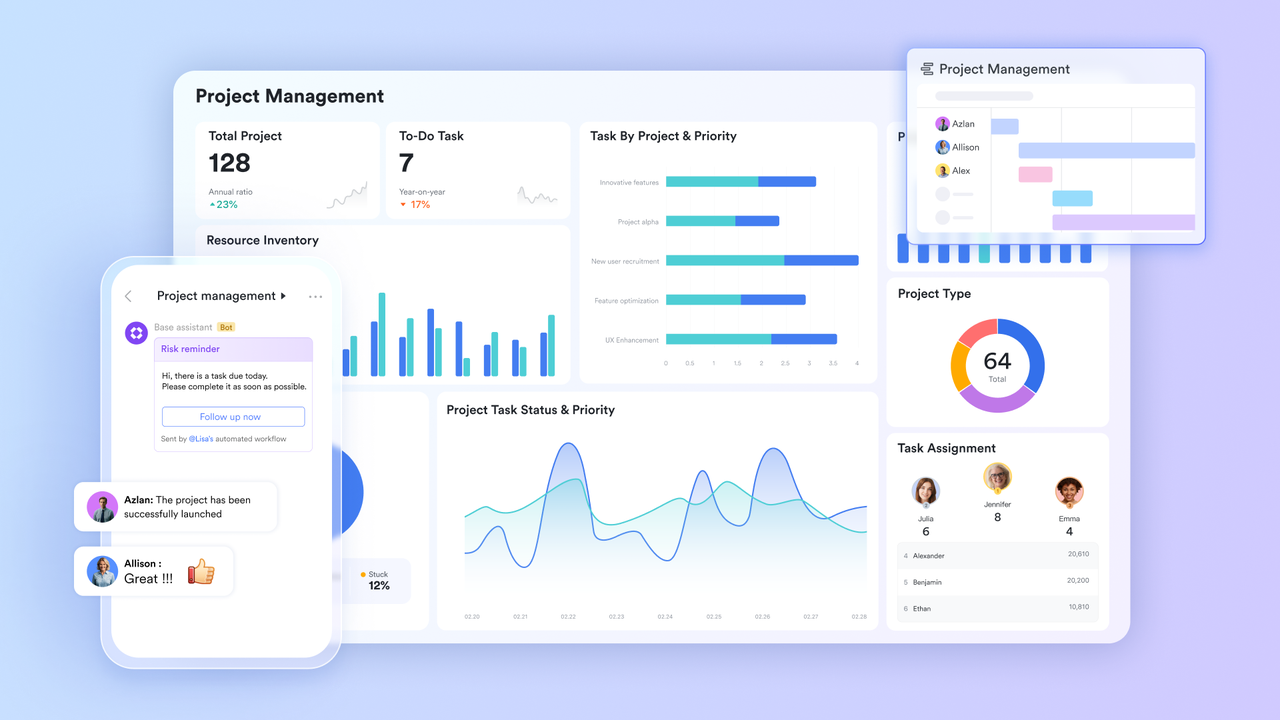
The real upgrade happens when you move from a basic grid to a multi-dimensional database like Lark Base. The biggest difference here is flexibility. In a spreadsheet, you’re stuck looking at rows and columns forever. In Base, that same data can be transformed instantly into a Kanban board for your project leads, a Gantt chart for your timeline, or a gallery view for your creative assets. It allows every department to see the information in the way that makes the most sense for them without ever creating a duplicate file.
This is where the math starts to pull away from the usual management tools that most companies use. Because Base is a native part of the suite, it can actually trigger actions. You can set up an automated workflow so that when a project status changes to “Review,” a notification is sent directly to the relevant messenger thread. You aren’t just storing information anymore; you’re using that information to drive the project forward. It eliminates the need for someone to manually check the sheet every morning to see what’s changed.
Connecting the dots with Lark Messenger
One of the most frustrating things about traditional spreadsheets is that the “conversation” about the data always happens somewhere else. You’re looking at a cell in a sheet, but you’re arguing about it in a separate chat app. This gap is where mistakes happen. Lark Messenger bridges this by allowing you to bring your data directly into the conversation. You can share a specific record from Lark Base into a chat, and the team can see all the relevant details in a rich preview without ever leaving the thread.
By keeping the chat and the data in the same place, you’re protecting their focus. If a teammate has a question about a budget line or a deadline, they don’t have to go find the file, open the right tab, and search for the row. They just click the link in the messenger, and they’re exactly where they need to be. It turns the chat from a place where you talk about work into a place where you actually get work done.
Transforming documentation with Lark Docs
Most project plans are just a collection of links to various spreadsheets, which is a nightmare to navigate. Lark Docs lets you build a more cohesive experience by embedding live Base views directly into your documents. Instead of sending someone a link to a “Sheet,” you send them a project brief that actually contains the live data. If the numbers in the database change, they update automatically in the document. There’s no more manual syncing and no more “Is this the latest version?” questions.
These docs function as the central hub for your team’s thinking. You can have your strategy, your research, and your live tracking data all on one page. It’s one of the most powerful productivity tools available because it respects how people actually process information. We don’t think in isolated cells; we think in context. By wrapping your data in a narrative document, you make it much easier for your team to understand the “why” behind the numbers. It moves the needle from just “tracking” a project to actually “leading” it.
Aligning the team with Lark OKR
Spreadsheets are also where most companies try and fail to track their goals. You end up with a complicated “Objectives” sheet that nobody looks at because it’s too depressing to navigate. Lark OKR takes that data and makes it a visible, daily part of the workspace. It connects your high-level strategy to the actual work being done in your databases and task lists. It stops being a “report” and starts being a roadmap that everyone follows.
Because it’s all part of the same unified system, you can see the direct link between a specific project in Base and the progress of a company-wide goal. If a project is falling behind, the OKR reflects that instantly. It gives managers the “early warning system” they need to step in and help before a minor delay becomes a major disaster. It replaces the monthly status meeting with real-time transparency, which is the only way to stay agile in a market that moves as fast as it does in 2026.
Bridging the gap with Lark Mail
External communication is often the biggest silo in a business. You have all this great internal data, but your client communication is locked away in individual inboxes. Lark Mail pulls that external world into your workspace. If a client sends an email with a new set of requirements, you don’t have to manually update your project sheet. You can share that email directly into your project chat or link it to a record in your database.
It ensures that the “external” truth and the “internal” truth are always the same. Your team doesn’t have to go hunting through old email threads to find out what the client actually asked for; the context is right there alongside the data. It makes the transition from receiving a request to executing a task much faster. By treating email as just another source of information within the hub, you’re removing one of the last major barriers to a truly unified workflow.
Making sense of it all with Lark Wiki
The problem with a spreadsheet-heavy culture is that it’s incredibly difficult for a new person to learn the system. They have to learn which sheet does what, where the links are hidden, and who to ask when a formula breaks. Lark Wiki provides the structure that a growing team needs. It’s a central repository for all your processes, including the “how-to” guides for your databases and project hubs.
It turns your team’s collective knowledge into a searchable, permanent asset. Instead of having a “Sheet of Sheets,” you have a beautifully organized Wiki that explains how the business actually runs. It reduces the onboarding time for new hires and ensures that even if a key team member leaves, their knowledge stays behind. It’s the final piece of the puzzle that turns a collection of tools into a professional, scalable organization.
Bonus: Evaluating infrastructure for data elasticity
As a team moves beyond the “startup” phase, the primary challenge shifts from simply storing data to making that data elastic—allowing it to stretch across different departments without breaking. When you rely on a patchwork of specialized apps, you often find that your information is trapped in a rigid format that doesn’t scale.
Smart operational planning requires benchmarking your current tech spend against the broader market to see if your “per-seat” value is actually holding up. Many managers begin this audit by reviewing Google Workspace pricing to establish a baseline for their essential cloud services. However, the real “scaling tax” appears when you realize that basic document storage isn’t enough to run a complex operation. You end up adding separate subscriptions for Airtable for your databases, Slack for your comms, and Zoom for your meetings.
Lark provides a more elastic alternative by building those high-tier capabilities directly into the core engine. By consolidating into a single environment, you ensure that a project update in your database automatically flows into your messenger and your OKR tracker. You aren’t just paying for a suite of tools; you’re investing in an architecture that eliminates the manual “copy-paste” work that usually kills a team’s momentum as they grow.
Smmarizing
The spreadsheet isn’t going away, but its role needs to change. It should be a tool for deep calculation, not the primary interface for your entire team. When you move your daily operations into a unified suite, you’re not just getting better features; you’re getting a better way of working. By adopting a comprehensive set of productivity tools, you’re choosing clarity over chaos and flow over friction.
The teams that are winning are the ones that have realized that data belongs to everyone, not just the person who created the file. By bringing your chat, your docs, your goals, and your mail into a single environment, you’re giving your team the one thing a spreadsheet never could: a clear view of the big picture. It’s time to stop hiding behind the grid and start working in the open.
