

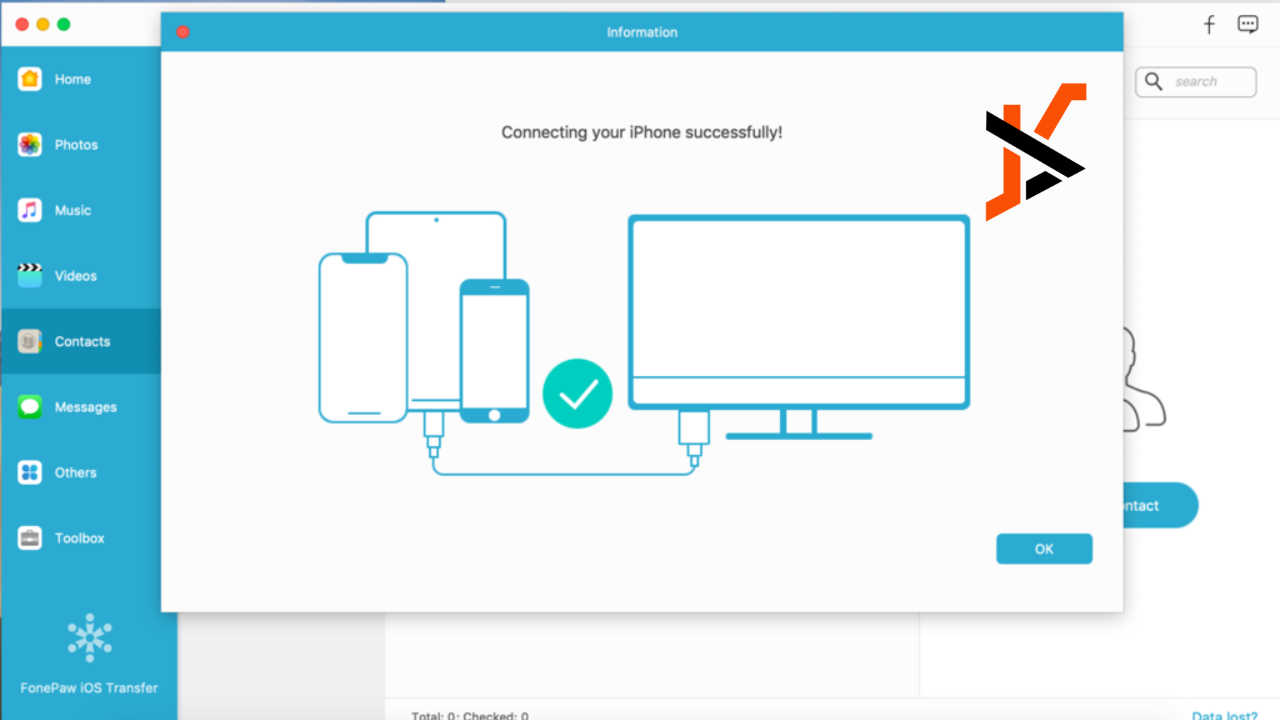
Modern life is too fast, so we record every single precious moment in our lives with our smartphones. With the surging number of photos, how to transfer them efficiently from an Android device to another device has become a challenge to most of us. Traditional methods, like USB cables, Bluetooth, and cloud storage, often prove inefficient, time-consuming, and troublesome. Hence, there is a need for professional Android photo transfer.
Here, we introduce FonePaw DoTrans, the state-of-the-art Android data transfer that provides sterling performance and seamless operation for all users in search of an ideal photo transfer experience. If you are searching for a more robust solution, look no further.
Overview of FonePaw DoTrans
FonePaw DoTrans is an advanced, cross-platform data transfer and management tool designed for Android device users. It breaks the barrier between devices and supports a seamless transfer system of all kinds of files, such as photos, videos, audio, contact information, SMS records, etc., between iOS, Android, and Windows devices. Transfer precious memories from an old phone to a new one, or back up your phone data on your computer for perfect data security. FonePaw DoTrans lets you experience a brand-new experience at ease
Outstanding Capabilities of FonePaw DoTrans
Now, let us describe some of the key features of FonePaw DoTrans, which has been discussed as one of the best Android photo transferring applications. The following points make it outstanding in Android photo transfer.
Multi-format Photo Transfer Support
One of the many highlights of FonePaw DoTrans is that it supports Android photo transfer of various formats. That is to say, no matter whether your Android device contains common JPG and PNG images or professional RAW and other high-definition/special format images, all can be easily recognized by FonePaw DoTrans and transferred efficiently. This feature would hugely extend the scenarios in use. No matter whether it is daily photo sharing or professional photographers’ work backup, FonePaw DoTrans can provide strong support.
Cross-platform Compatibility
Robust support for transferring photos among multiple devices is available too. You can transfer photos not only between Android phones, but it will easily share these photos across platforms, like iOS devices, and even export Android photos to Windows computers. In this regard, cross-platform compatibility enhances flexibility and usability for photo sharing and backup, thus letting you deal with photo collections across different devices seamlessly.
Two Transfer Modes Support
FonePaw DoTrans can transfer photos in two ways due to its powerful flexibility. On the one hand, it supports stable and efficient data transfer via a USB cable, especially for big or high-definition image files. On the other hand, it supports Wi-Fi wireless transfer options so that users can easily share and back up photos across devices without any physical connections. This would be very convenient and flexible. In this way, diversified user needs under different scenarios can be accordingly satisfied with the dual transfer mode design, making FonePaw DoTrans a versatile solution for photo management.
Multiple Android Devices support
FonePaw DoTrans has gained popularity among Android users due to its outstanding compatibility. It supports all major Android phone brands available in the market, including Samsung Galaxy S series, OnePlus, and Google Pixel. Moreover, FonePaw DoTrans supports many other Android phone brands, so every user can enjoy a convenient and effective Android photo transfer service.
Additional Features
Other than the powerful photo transferring ability, FonePaw DoTrans has many additional features added to help improve the user experience. It supports transfers of one file, many files, or all at a single time with no quantity limit and no file size limit. This is quite helpful when you have to deal with large amounts of large-sized data files. Moreover, in the process of file transferring, FonePaw DoTrans has many convenient features for photo management, including previewing, moving, deleting, renaming, and more. Especially, it does not compress the image quality in transferring. Hence, every file to be shared will be retained in its original high definition, thus keeping memories clearer.
How to Transfer Photos from Android to Android via FonePaw DoTrans
Are you ready to make photo transfer become easy and fast? Below is a step-by-step guide on how to move photos from an Android phone to a computer with the help of FonePaw DoTrans. Let’s get started.
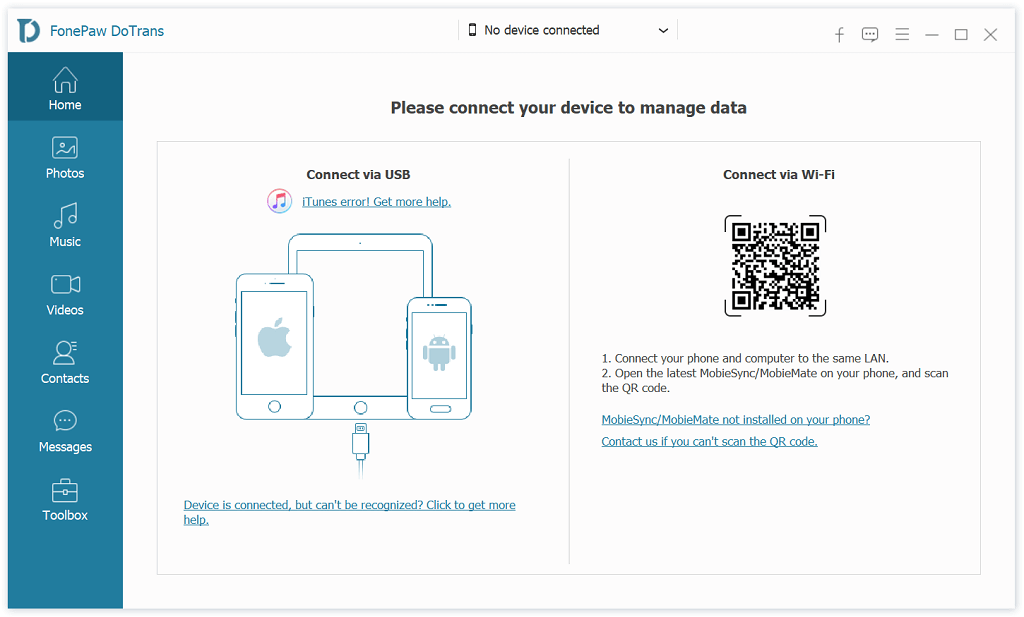
Step 1. Download and install the software. Connect your Android phone to your computer via a cable. You can also choose to connect via WIFI.
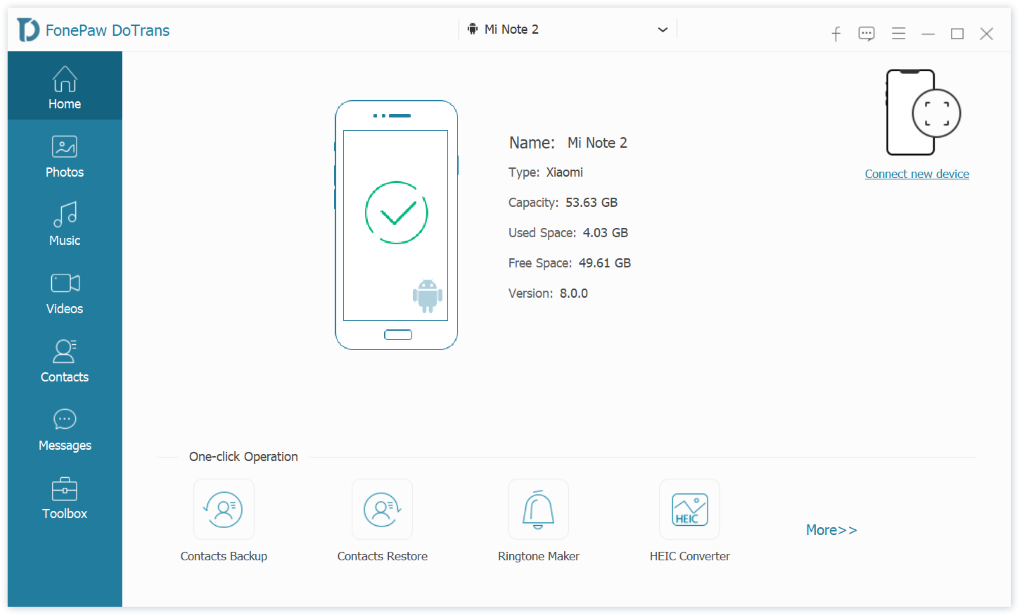
Step 2. You will see the notification of a successful connection on the homepage.
Step 3. On the left panel. Choose “Photos” and you can see exportable photos on the right panel. Click on the “Export to PC” button to start.
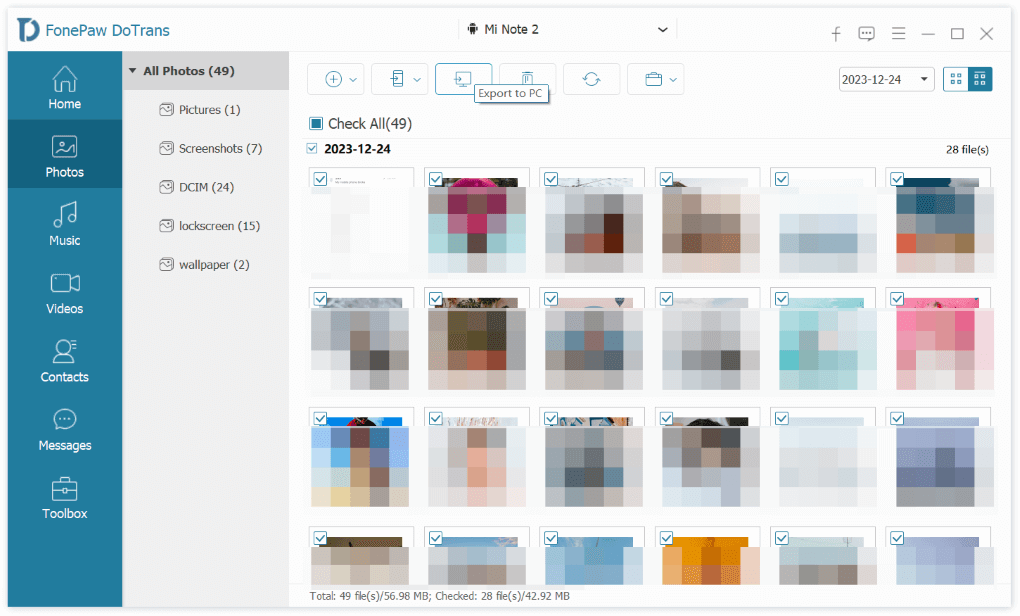
Tip: When you connect two phones to a computer to transfer photos from Android to an Android device, the photos will be saved on a computer.
The Bottom Line
In conclusion, FonePaw DoTrans Android photo transfer and data management services are most all-rounded. It has a number of strong features, facilitating flawless transfers between iOS and Windows, covering a wide scope of supported file formats without quality compromise, and intuitively controlled with dual transfer modes and great device compatibility to have your data safe and secure. For anyone seeking a versatile and efficient tool to streamline their mobile data workflow, FonePaw DoTrans is highly recommended.
