

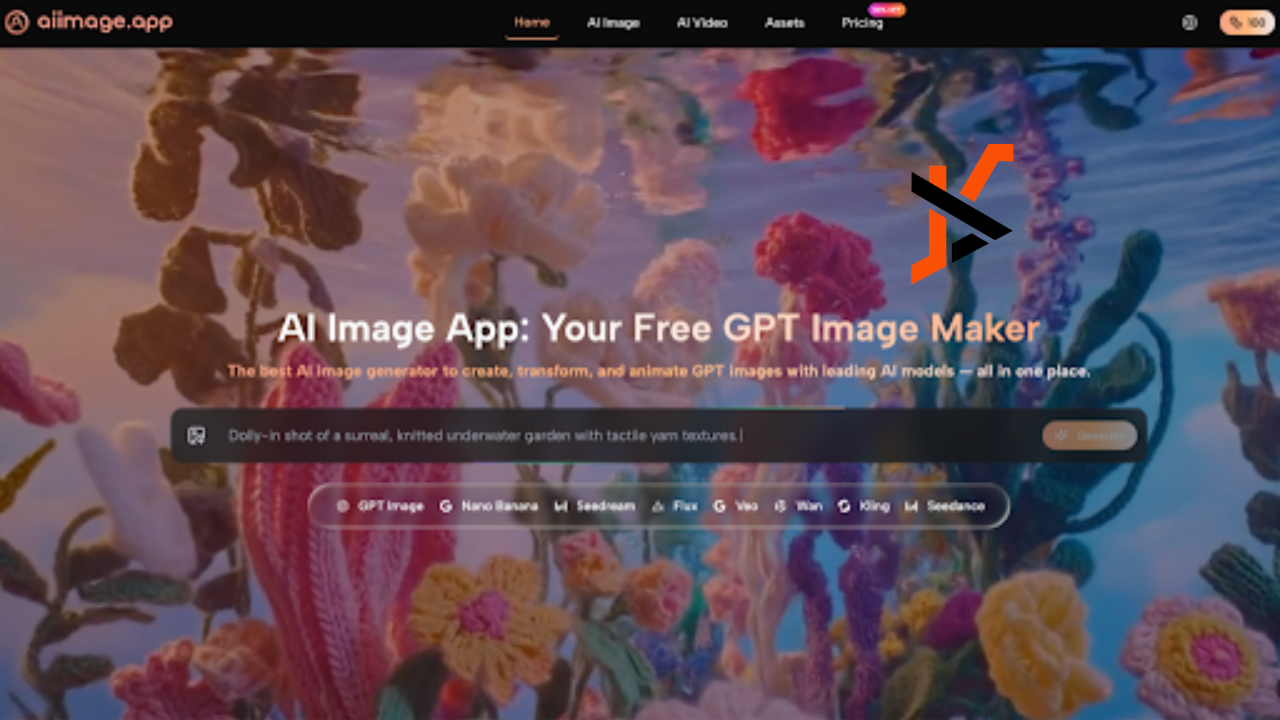
Visual content creation has never moved faster — yet most tools still force you to choose between quality, speed, and affordability. AI Image App solves all three at once: a free, all-in-one GPT image generator that lets anyone create photorealistic images, transform photos, and animate visuals into cinematic videos — all powered by the world’s leading AI models in a single platform. Whether you’re a marketer, content creator, designer, or entrepreneur, this is the creative toolkit built for the pace of 2026.
What Is AI Image App?
AI Image App is a free online GPT image generator available at aiimage.app that combines multiple industry-leading AI models under one roof. Unlike single-model tools, it gives users access to GPT Image 2, GPT-4o, Nano Banana, Seedream, Flux Kontext, Midjourney, and Veo 3 — all from the same interface.
The platform is designed around three core capabilities: text-to-image generation, photo transformation, and image-to-video animation. Users can describe any scene in plain language and receive a high-resolution, professional-quality result in seconds — no design software, no stock libraries, and no technical skills required.
What makes AI Image App genuinely different is not just its speed or quality in isolation — it’s the combination of multiple frontier models, full commercial rights on every output, no watermarks, and a free entry point that makes it accessible to creators at every level.
Core Features of AI Image App
AI Image App is built around a powerful, multi-model architecture that covers every stage of visual content creation. Here are the platform’s standout features based on what the site actually offers.
Multi-Model GPT Image Generation
At the heart of the platform is access to multiple best-in-class AI image models — all switchable from one interface. Each model is optimized for a different creative need:
- GPT Image 2 — High-fidelity outputs with vivid detail, dynamic composition, and cinematic lighting; ideal for complex, multi-layered scenes
- GPT-4o — Advanced multimodal reasoning with superior prompt adherence; uniquely capable of rendering readable text and typography directly inside images
- Nano Banana — Hyper-realistic image generation with multi-reference support (up to 4 reference photos) for consistent character and style control
- Nano Banana 2 — Next-gen 4K output with batch generation of up to 4 images per request
- Seedream — The platform’s fastest model, delivering professional GPT images from text in seconds, optimized for high-volume production
- Flux Kontext — Precision context-aware editing that lets you modify specific text or objects within an existing image without affecting the rest of the composition
- Midjourney — Renowned for stylized artistic output across a wide range of aesthetics
This multi-model approach is AI Image App’s most significant competitive advantage — no other free platform gives you access to this breadth of frontier models in one place.
Image-to-Video with Veo 3
The platform includes a dedicated AI Image App video feature powered by Veo 3, Google DeepMind’s state-of-the-art video generation model. Users can take any generated or uploaded image and animate it into a cinematic video clip — complete with natural motion and auto-synchronized audio. This makes AI Image App a complete visual production suite, covering both static and motion content without needing a separate video editing tool.
Commercial Rights and No Watermarks
Every image and video generated on the platform comes with full commercial rights and zero watermarks — regardless of which plan you’re on. This is a critical distinction from many competitor tools that restrict commercial use or brand outputs with their logo. For freelancers, agencies, and businesses producing content at scale, owning 100% of what you create is non-negotiable.
How to Use AI Image App
Getting from idea to finished visual takes less than two minutes. Here’s the full workflow:
- Visit aiimage.app and sign up for a free account
- Write your text prompt — describe the subject, style, lighting, mood, and composition in plain language (e.g., “ethereal portrait of a woman in soft golden light, cinematic, photorealistic”)
- Choose your AI model — pick GPT Image 2 for detail, Seedream for speed, Flux for editing, or Nano Banana for hyper-realism
- Upload reference images, if needed — Nano Banana supports up to 4 references for style and character consistency
- Generate — your high-resolution GPT image is ready in seconds
- Refine — uses Flux Kontext to edit specific elements, swap text, or adjust objects without regenerating the whole image
- Animate — send your image to the Veo 3 video tool to create a cinematic video clip with synchronized audio
- Download and publish — all outputs are watermark-free with full commercial rights, ready for any platform or campaign
For teams needing scale, the Unlimited plan supports 8 concurrent generations and unrestricted access to all models, making batch production fast and efficient.
Frequently Asked Questions
Is AI Image App really free?
Yes. AI Image App is a free AI image generator with no upfront cost. Paid plans (starting at $8.3/month) unlock cheaper per-generation credits, private generation, priority processing, and higher concurrency for power users and teams.
What makes it different from using ChatGPT or Midjourney directly?
AI Image App aggregates multiple frontier models — including GPT Image 2, Midjourney, Flux, and Veo 3 — into one platform. Instead of switching between separate tools and subscriptions, you access everything in one place with a unified workflow and commercial licensing already included.
Can I generate text inside my images?
Yes. GPT-4o on the platform specifically excels at text-in-image generation, accurately rendering readable typography and labels directly within the visual — something most AI image tools struggle with.
How does the video feature work?
The Veo 3-powered video tool animates any still image into a cinematic video clip with natural motion and auto-synchronized audio. No footage, no timeline editing, and no video production skills required.
Do I own the images I create?
Yes. All content generated on AI Image App comes with full commercial rights and no watermarks, making it suitable for ads, products, publications, and client work.
What resolution can I export at?
Nano Banana 2 supports up to 4K resolution output, with 1K, 2K, and 4K options available. Other models produce high-resolution outputs suitable for digital publishing and print.
Conclusion
From GPT-powered text-to-image generation to 4K batch outputs and Veo 3 video animation, AI Image App delivers a complete visual creation ecosystem that no single traditional tool — or even single-model AI platform — can match. It’s free to start, commercially licensed from day one, and built for the speed that modern content creation demands.
Ready to generate your first professional GPT image? Visit AI Image App now — it’s free, it’s instant, and your first stunning visual is just one prompt away.
