

The home gym revolution has transformed spare rooms and garages into personal fitness sanctuaries, yet many owners find themselves surrounded by disconnected equipment, tangled cables, and inefficient layouts that waste both space and potential. A cable machine home gym offers a compelling solution as a versatile, space-saving centerpiece capable of delivering dozens of exercises from a single station. But the real challenge emerges when you want this equipment to work harmoniously alongside adjustable barbells, wearable trackers, and fitness apps. How do you create a unified workout ecosystem where every device communicates, tracks your progress collectively, and maximizes your limited square footage? Multi-device synchronization transforms isolated pieces of equipment into an intelligent system that monitors performance, adapts to your goals, and eliminates redundancy. This article provides a clear, step-by-step guide for home gym owners looking to integrate their cable machine technology with multiple devices, creating a seamless training environment that saves space, boosts versatility, and delivers measurable results.
Why Integrate Cable Machine Tech? The Benefits for Home Gym Owners
Home gym equipment has evolved dramatically from static, single-purpose machines into smart, connected systems capable of communicating with each other and adapting to user behavior. This shift mirrors what happened with home entertainment systems a decade ago—individual components became infinitely more powerful once they could share data and respond as a unified network. For cable machine home gym owners, integration addresses two persistent frustrations simultaneously. First, it consolidates functions that previously required separate devices, saving precious floor space by eliminating redundant equipment. A single cable machine paired with synchronized technology can replace an entire rack of isolated machines. Second, integration dramatically expands workout versatility because connected systems unlock programming options, guided routines, and progressive overload tracking that standalone equipment simply cannot provide. Fitness technology serves as the connective tissue in this ecosystem, capturing rep counts, resistance levels, time under tension, and heart rate data across every piece of equipment you use. When these metrics flow into a single dashboard, you gain insights that fragmented tracking never reveals—like how your cable fly performance correlates with barbell bench progress. This synchronized approach keeps motivation high because visible, consolidated progress eliminates guesswork and reinforces consistency with clear evidence of improvement.
Key Components: Cable Machines, Adjustable Barbells, and Fitness Technology
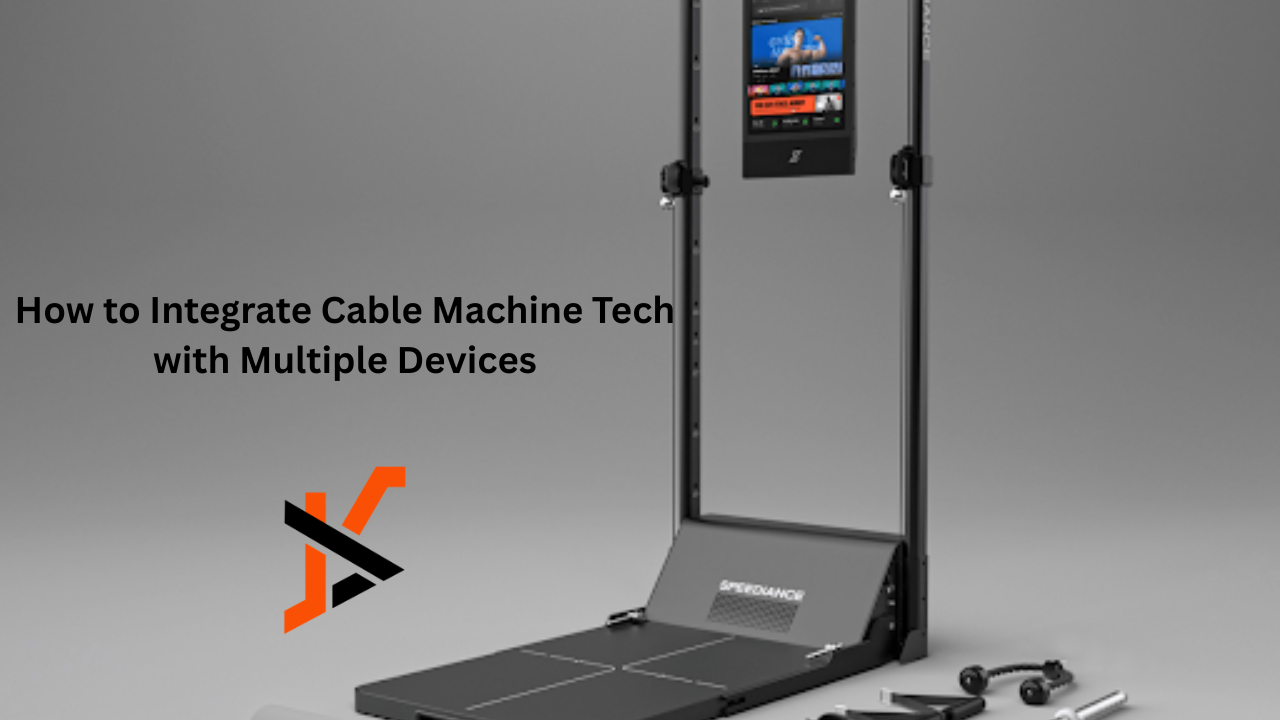
A modern integrated home gym rests on three foundational pillars that complement each other when properly connected. The cable machine home gym serves as the central hub—its adjustable pulleys, weight stacks, and compact footprint deliver everything from lat pulldowns to cable crossovers within a single frame. Look for models featuring digital resistance displays, built-in rep counters, or Bluetooth-enabled weight stack sensors, as these features become critical connection points in a synchronized system. Brands like Speediance have pushed this category forward by building smart connectivity directly into their cable machine platforms, making multi-device integration more accessible for home gym owners. Adjustable barbells represent the second pillar, offering heavy compound movement capability without requiring an entire rack of fixed-weight dumbbells. Modern versions incorporate load cells or pair with tracking sleeves that measure velocity, power output, and range of motion during lifts like squats and deadlifts. The third pillar—fitness technology—acts as the nervous system binding everything together. This category spans wearable devices like heart rate monitors and smartwatches, tablet-based coaching apps, and hub software that aggregates data from multiple sources into unified dashboards.By connecting through device-to-device communication technologies such as Bluetooth Low Energy (BLE) and Wi-Fi Direct, these three components evolve from standalone fitness tools into an integrated training ecosystem. Workout metrics captured from your cable machine sessions can automatically influence barbell training adjustments, while data from your wearable device helps assess recovery status and determine your readiness for the next workout.
A Practical Guide to Multi-Device Synchronization for Your Home Gym
Moving from concept to execution requires a systematic approach that accounts for your existing equipment, available technology, and the specific workflows you want to create. Rushing into purchases or installations without proper assessment leads to compatibility headaches and wasted investment. The following three steps walk you through building a fully synchronized cable machine home gym ecosystem from the ground up.
Step 1: Assessing Your Equipment and Setup
Begin by inventorying every piece of equipment in your space, noting model numbers and connectivity features. Check whether your cable machine offers Bluetooth, ANT+, or Wi-Fi capability—sometimes these features exist but require activation through a firmware update or optional sensor attachment. Examine your adjustable barbells for compatible tracking accessories and confirm your smartphone or tablet supports the required wireless protocols. Measure your available floor space and identify wall areas or ceiling zones where cable routing or device mounts could consolidate your footprint without sacrificing movement paths.
Step 2: Choosing and Installing Synchronization Technology
Select a central fitness platform that accepts inputs from multiple device types—apps like TrainerRoad, Garmin Connect, or Apple Health serve as aggregation hubs capable of pulling data from disparate sources. If your cable machine lacks native connectivity, retrofit it with a third-party smart sensor that clips onto the weight stack or cable to detect movement patterns and resistance loads. Install a dedicated tablet mount on or near your cable station to display real-time metrics during workouts. Pair each device individually with your chosen hub app first, confirming stable connections before attempting simultaneous multi-device streaming. Position a small Wi-Fi range extender in your gym space if your router signal struggles to maintain consistent connections with all devices active.
Step 3: Configuring and Testing the Integrated System
Create workout templates within your hub app that sequence cable machine exercises alongside barbell movements, allowing the system to automatically log transitions and rest periods. Run a full test session wearing your heart rate monitor while performing both cable and free-weight exercises, verifying that each data stream—resistance, reps, velocity, and heart rate—records accurately without gaps or duplications. Check timestamps across devices to confirm synchronization alignment. If you notice lag or missed data points, reduce the number of simultaneous Bluetooth connections or switch secondary devices to ANT+ where supported. Fine-tune notification settings so alerts for rest periods, target heart rate zones, or set completion appear on your wearable rather than interrupting your tablet display mid-exercise.
Maximizing Space and Versatility with Integrated Home Gym Equipment
Once your devices communicate reliably, the next priority is organizing your physical space to match the efficiency of your digital ecosystem. Wall-mounted cable pulley attachments free up floor area while maintaining full range-of-motion access, and vertical storage racks for barbell plates double as room dividers that define workout zones without permanent construction. Position your cable machine home gym against the longest wall, angling it so the pulley system faces open floor space where you perform barbell movements—this arrangement creates a natural circuit flow between stations without repositioning equipment mid-workout. Modular storage solutions like pegboard systems hold resistance bands, handles, and ankle straps within arm’s reach of both your cable station and lifting platform, eliminating time wasted searching for accessories between sets.
Integration amplifies versatility far beyond what either machine offers independently. A synchronized system lets you program supersets that pair cable face pulls with barbell overhead presses, automatically adjusting rest timers based on your real-time heart rate recovery. Your hub app can generate full-body routines drawing from both cable and free-weight exercises, rotating movement patterns weekly to prevent plateaus while ensuring balanced muscle development. Consider programming a push-pull-legs split where Monday’s cable-dominant pulling session informs Wednesday’s barbell pressing loads based on recorded fatigue metrics—this responsive programming approach means your equipment adapts to you rather than forcing rigid, pre-set routines that ignore how your body actually recovers between sessions.
Troubleshooting Common Integration Issues
Even well-planned synchronized systems encounter hiccups that can disrupt your training flow. Connectivity drops represent the most frequent frustration, typically caused by Bluetooth interference from other household devices or physical obstructions between sensors and your hub device. When your cable machine sensor loses connection mid-set, move your tablet or phone closer to the weight stack and disable Bluetooth on nearby devices you aren’t actively using during workouts. If connections remain unstable, check whether your sensors and apps are running the latest firmware—manufacturers frequently release updates that resolve pairing conflicts and improve signal stability. A quick factory reset of problematic sensors followed by a fresh pairing sequence resolves most persistent connection failures.
Software glitches present another common obstacle, particularly when hub apps fail to record data from all connected devices simultaneously. Force-close the app completely, clear its cache, and relaunch before your next session. If specific exercises consistently show missing data, verify that your workout templates correctly map each movement to the appropriate input device. Beyond digital troubleshooting, physical maintenance of your cable machine home gym directly impacts integration reliability—frayed cables, sticky pulleys, or worn weight stack guides can produce erratic sensor readings that confuse tracking algorithms. Schedule monthly inspections of all mechanical components, lubricating moving parts and checking sensor mounting points for secure attachment. Treating your integrated system as a unified whole rather than separate pieces ensures both the physical and digital layers perform consistently over time.
Building Your Synchronized Home Gym: Next Steps and Future-Proofing
Integrating cable machine tech with multiple devices transforms a collection of standalone equipment into an intelligent, responsive training system that works harder for you with every session. The benefits are clear: consolidated tracking eliminates guesswork, multi-device synchronization saves space by reducing redundant equipment, and connected programming adapts to your actual recovery and performance rather than following rigid schedules. By assessing your current setup for compatibility, selecting the right synchronization platform, and methodically configuring each device to communicate through a central hub, you create a cable machine home gym that rivals commercial facilities in functionality while occupying a fraction of the space. The versatility gains alone justify the effort—supersets flow seamlessly between cable and barbell movements, heart rate data informs rest periods in real time, and progressive overload becomes automatic rather than manual. Take action today by inventorying your equipment’s connectivity features and identifying one integration point to implement this week. Start small, test thoroughly, and expand gradually. As fitness technology continues advancing toward AI-driven coaching and predictive programming, the home gym owners who build synchronized foundations now will be positioned to adopt next-generation innovations without starting from scratch.
