

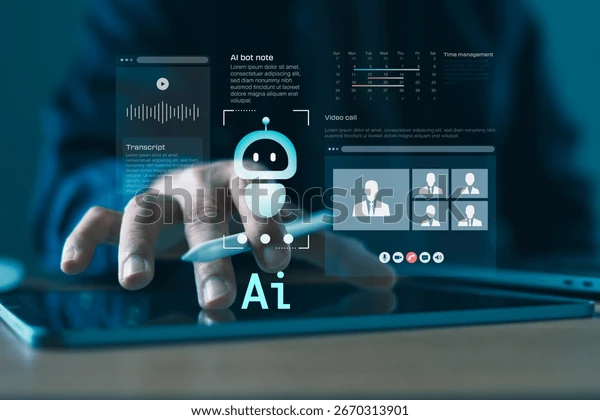
Hybrid meetings have become a standard part of modern work. One participant may be in a conference room, another may join from home, and several colleagues may connect from different time zones. Although this arrangement gives teams greater flexibility, it also creates a practical challenge: important information can easily become scattered across handwritten notes, chat messages, recordings, and follow-up emails.
The person taking notes faces an especially difficult task. They must listen to both in-room and remote speakers, identify key decisions, record action items, and remain actively involved in the conversation. An AI note-taking tablet can reduce this pressure by bringing handwriting, transcription, organization, and intelligent assistance into one focused device.
Why Traditional Note-Taking Often Falls Short
A paper notebook is simple and distraction-free, but handwritten information can be difficult to search, reorganize, or share with remote colleagues. A laptop makes digital documentation easier, yet typing throughout a meeting can interrupt eye contact and make the note-taker appear less engaged.
Standard tablets offer more flexibility, but notifications, entertainment apps, and bright displays may distract users from the discussion. They also do not always provide meeting-focused functions such as real-time transcription, handwriting conversion, or automated summaries.
This gap has encouraged professionals to explore AI note-taking tablets for work. These devices combine the natural experience of handwriting with tools designed to capture, structure, and retrieve business information.
Capture Conversations Without Losing Focus
In a hybrid meeting, valuable details can come from several directions at once. Someone in the room may introduce an idea while a remote participant adds supporting information seconds later. Trying to record every statement manually can cause the note-taker to miss context or lose track of the discussion.
Real-time transcription helps create a more complete record while allowing participants to focus on listening and responding. Instead of typing continuously, users can write only the points that matter most to them—such as a question, decision, or follow-up task—while the device captures the broader conversation.
This combination of transcription and selective handwriting produces a more useful record than either method alone. The transcript preserves detail, while handwritten notes reflect the user’s priorities and interpretation.
Turn Meeting Notes Into Useful Outcomes
Capturing information is only the beginning. After a meeting, someone still needs to review the material, identify conclusions, and prepare a summary for the wider team. When meetings occur throughout the day, this administrative work can quickly accumulate.
AI-supported meeting summaries can reduce the time required to turn a long conversation into a structured overview. A useful summary may highlight the main topics, decisions, unresolved questions, and next actions. Participants can then verify the content and share it with colleagues who were unable to attend.
The result is not simply a shorter transcript. It is a practical reference that helps the team understand what happened and what needs to happen next. Human review remains important, particularly when a discussion contains technical language, confidential information, or decisions requiring precise wording.
Make Handwritten Ideas Searchable
Handwriting remains valuable during brainstorming and strategic discussions because it allows people to draw connections, create diagrams, and capture ideas without following a rigid format. Its weakness is that information can become difficult to locate later.
Handwriting-to-text technology addresses this problem by converting written content into editable and searchable text. Instead of manually reviewing several pages to find a particular comment, a user can search for the relevant term and return to the associated note.
The AINOTE 2 is designed around this combination of paper-like writing and digital organization. According to its official product information, it features a 10.65-inch, 300 PPI E-Ink display and supports handwriting-to-text conversion across 133 languages. This can be particularly useful for international teams whose members write or collaborate in different languages.
Support Multilingual Hybrid Teams
Language differences can add another layer of complexity to hybrid meetings. Even fluent speakers may need extra time to understand unfamiliar accents, technical phrases, or fast-moving conversations.
Transcription provides participants with a written reference, while real-time translation can help them follow multilingual discussions more confidently. A translated transcript should not replace professional interpretation in legal, medical, or other high-stakes settings, but it can support routine international collaboration.
For global teams, these functions may also make post-meeting communication more consistent. Participants can revisit important statements, confirm terminology, and create follow-up notes without relying entirely on memory.
Reduce Distractions With an E-Ink Workspace
Hybrid meetings often involve several screens, applications, and notifications. A focused E-Ink device can provide a calmer workspace for reading agendas, reviewing documents, and writing notes.
A paper-like display is especially suitable for activities that require concentration rather than rapid multimedia interaction. Users can annotate documents, record questions, and keep meeting materials together without constantly switching between windows.
Portability also matters for employees who move between home offices, client locations, and shared meeting rooms. AINOTE 2 is listed at approximately 295 grams and 4.2 millimeters thick, making it easier to carry alongside a laptop or use as a dedicated meeting companion.
Build a Consistent Meeting Workflow
Technology is most effective when it supports a repeatable process. Before a meeting, participants can import the agenda or prepare a note template. During the discussion, they can combine transcription with handwritten annotations. Afterward, they can review the AI-generated summary, confirm decisions, assign action items, and share the final version.
This workflow creates a clearer connection between conversation and execution. Notes are less likely to remain forgotten in a notebook, and remote participants receive a more consistent record of the meeting.
An AI note-taking tablet cannot improve an unclear agenda or make decisions on behalf of a team. What it can do is remove much of the friction involved in capturing and organizing information. For hybrid teams, that means more attention during the meeting, less administrative work afterward, and a more reliable path from discussion to action.
