

A Salesforce Customer Portal rarely fails on launch day. The go-live email goes out, the first hundred customers register, and the project team gets a round of thanks. Then the logins thin out. Customers go back to emailing their account manager, and the support queue looks the way it did before.
Nothing broke. That’s what makes it hard to diagnose. The portal works, the data is there, and nobody uses it.
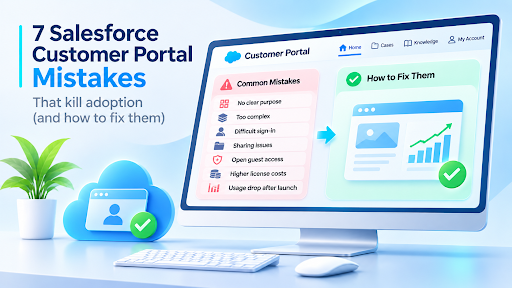
Across Salesforce documentation and vendor write-ups on portal rollouts, the same seven mistakes keep turning up. Some are design choices. Some are permission settings that quietly show customers an empty screen. One is a security setting that made the news this year. Each has a fix, and most of the fixes are smaller than people expect.
1. Launching without one clear job for the portal
Ask five stakeholders what the portal is for and five different lists come back. Case submission, invoice downloads, order tracking, knowledge articles, document signing, a community forum. Everything gets built because everything was requested.
Titan’s write-up on portal timelines makes a useful point here: the delays usually come from unresolved decisions, not slow development. Their suggested first release is narrow. Customers log in, see the status of a request, and complete the next step. That’s the whole thing. Features come later, based on what people actually do.
The pattern holds well beyond one vendor’s advice. A portal with eleven menu items and no obvious reason to visit gets visited once. A portal that answers “where is my order?” gets visited every week. The sensible first release answers whichever question customers already put to the support team most often. The other ten menu items can wait.
2. Showing customers the org as the admins built it
Salesforce objects are organized for the people running the business. Accounts, contacts, opportunities, cases, custom objects with names like Service_Engagement__c. A customer cares about none of that vocabulary.
Dropping raw list views onto a page and calling it a portal is common, and the result reads like a database. Columns appear in the order the admin added them. Status values are internal picklist entries such as “Pending Tier 2 Review.” Fields that matter to the support team clutter the page, while the one date the customer wants sits three clicks deep.
The better approach is to translate. A Salesforce Customer Portal can show a status called “We’re working on it” mapped to three internal statuses. It can hide the internal owner and the escalation flag. Titan’s list of pre-build decisions includes exactly this: which statuses appear, how they map to Salesforce processes, and what the customer should do next. Few teams write that mapping down before building, and most regret it afterward.
3. Is the login page the first thing customers dread?
Sign-in friction does more damage to adoption than any missing feature. A customer who needs an invoice number at 4 p.m. on a Friday will not fight a password reset loop. They’ll email.
Experience Cloud sites ship with default login, password reset, and self-registration pages. Salesforce’s own developer documentation describes a Login & Registration page where the branding for those screens gets controlled, and Visualforce pages can replace the defaults entirely. Salesforce Trailhead also describes login discovery, which lets people sign in with a verified email address or phone number instead of remembering a username. Self-registration, when turned on, creates a User record and a Contact from what the registrant submits.
Most portals leave all of that untouched. The default page carries Salesforce branding and a username field. The customer has no idea what their username is, because nobody ever told them. Support tickets for “can’t log in” become the top category in the first month, which is a sign the portal is already losing people.
Small detail, big effect. Fixing it means a branded login page, a short note in the invitation email saying how to sign in, and a clear “forgot password” path. Nothing there needs a developer, and it tends to move the support numbers within a few weeks.
4. Sharing sets that show customers nothing
This one produces the most baffling complaints. A customer logs in successfully and sees an empty case list. They conclude the portal is broken, or that their company has no history with you. Neither is true.
External users with Customer Community licenses don’t get records through standard sharing rules. Salesforce’s help documentation says sharing sets are the mechanism: access mappings that tie a record to the user’s account or contact, including through indirect lookups. The page also spells out a detail that trips up plenty of admins. Sharing sets for contacts, cases, and opportunities don’t automatically grant access to those objects’ parent accounts, so the account has to be added to the sharing set separately.
A customer admin might see their own cases but none of the ones colleagues opened. Or a user sees contact records but not the account page above them. The data exists. The mapping doesn’t cover it. Salesforce’s documentation also notes that sharing sets are available in Enterprise, Performance, Unlimited, and Developer Editions, which matters for teams on smaller plans trying to plan access.
A check that catches this takes about ten minutes: two test users from one company and a third from another, each logged in and compared. A blank list that should have rows, or a row belonging to the other company, shows up immediately.
5. Leaving the guest user profile wide open
Public pages need a guest user, and guest users need some access. How much access is where it goes wrong.
In March 2026 Salesforce published a post, updated March 11, describing a campaign that exploited “overly permissive Experience Cloud guest user configurations.” The activity used a modified version of Aura Inspector, a tool originally built by Mandiant, to scan public sites and pull data through the /s/sfsites/aura endpoint. Salesforce was explicit that this is not a platform vulnerability, and that a site is exposed only when its guest profile grants public access to objects or fields that shouldn’t be public.
The remediation list in that post is specific. It starts the guest profile at zero access and adds back only what the site needs. Org-wide defaults go to Private, with Secure guest user record access turned on. Public API access gets disabled, which Salesforce calls the highest-impact single change. Portal User Visibility and Site User Visibility come off. Self-registration goes too, where the site has no use for it.
Why does this belong in an adoption article? Because a customer data scare ends a portal faster than bad design does. Once a company has told its customers “we had an exposure,” asking them to log in again is a hard sell.
6. Picking a license model without counting logins
Experience Cloud licensing comes in login-based and member-based forms, according to the licensing guides that cover it. The first is billed on login activity. The second is a monthly amount per named user. Which one costs less depends entirely on how often people sign in, and the guides disagree on where the break-even sits, with figures ranging from roughly 2.5 to about 3 logins per user per month.
I couldn’t confirm either figure against current Salesforce documentation, so the numbers aren’t worth repeating. The behavior matters more than the arithmetic. A portal built to drive adoption is, by definition, a portal meant to be logged into often. A login-based license that looked cheap in the proposal can turn the success metric into the cost driver. Some teams respond by quietly discouraging use, with fewer notification emails and less prompting to come back. That’s an odd outcome for a project whose goal was adoption. Member-based licensing carries its own risk, since paying for named users who never sign in wastes the budget. Either way, the decision deserves numbers from the first month of real usage, not a guess made during procurement.
Modeling expected logins per user takes one spreadsheet and one honest guess about monthly visits. Salesforce’s pricing pages hold the current list prices.
7. Treating go-live as the finish line
Launch day gets the project plan’s last milestone. After it, the portal usually belongs to nobody. Content goes stale, statuses drift out of date as the internal process changes, and a field gets renamed in the org that quietly breaks a page.
Titan’s second phase frames the alternative well. After launch, watch completed steps, abandoned pages, drop-off points, support emails, and manual internal follow-up. Then fix friction before adding anything new. That list works because each item is something a team can see in tools it already has. Page views against form submissions, say, or the count of customers who registered and never came back.
Somebody has to own those numbers, though the monthly review can be short. Support teams usually spot the drift first, because the same questions start coming back in email. A portal with an owner improves slowly. A portal without one decays slowly, and the decay is the thing customers notice.
Where a packaged portal fits
Some teams read through all seven and conclude they would rather not manage Experience Cloud configuration themselves. That’s a reasonable position, and Experience Cloud isn’t the only route. CRMJetty’s Salesforce Customer Portal is a packaged alternative listed on the AppExchange. Its page says access works through roles with permissions set per module, with contact-based access showing a user only their own records and account-based access widening that to their organization’s. Sign-in supports OTP-based two-factor authentication, and the portal connects to Salesforce through a Connected App over OAuth 2.0 without copying records into a second database. Different trade-offs, same underlying questions. Whichever way the portal gets built, somebody still has to decide what customers see and how they sign in.
What every Salesforce Customer Portal mistake has in common
Not one of them is a technical limitation of Salesforce. Each comes from a decision made quickly, or not made at all, and then never revisited.
A narrow first release, plain language, a login page customers recognize, sharing sets tested with real accounts, a locked-down guest profile, a license priced against real usage, and someone who owns the numbers after launch. None of that is glamorous. All of it is why some customers quietly stop using the portal, and others keep it open all day.
