

Amazon took out the speakers, the built-in screen reader was never designed for books, and the browser blocks everyone else from filling the gap. A look at why a simple-sounding feature keeps failing — and what still works.
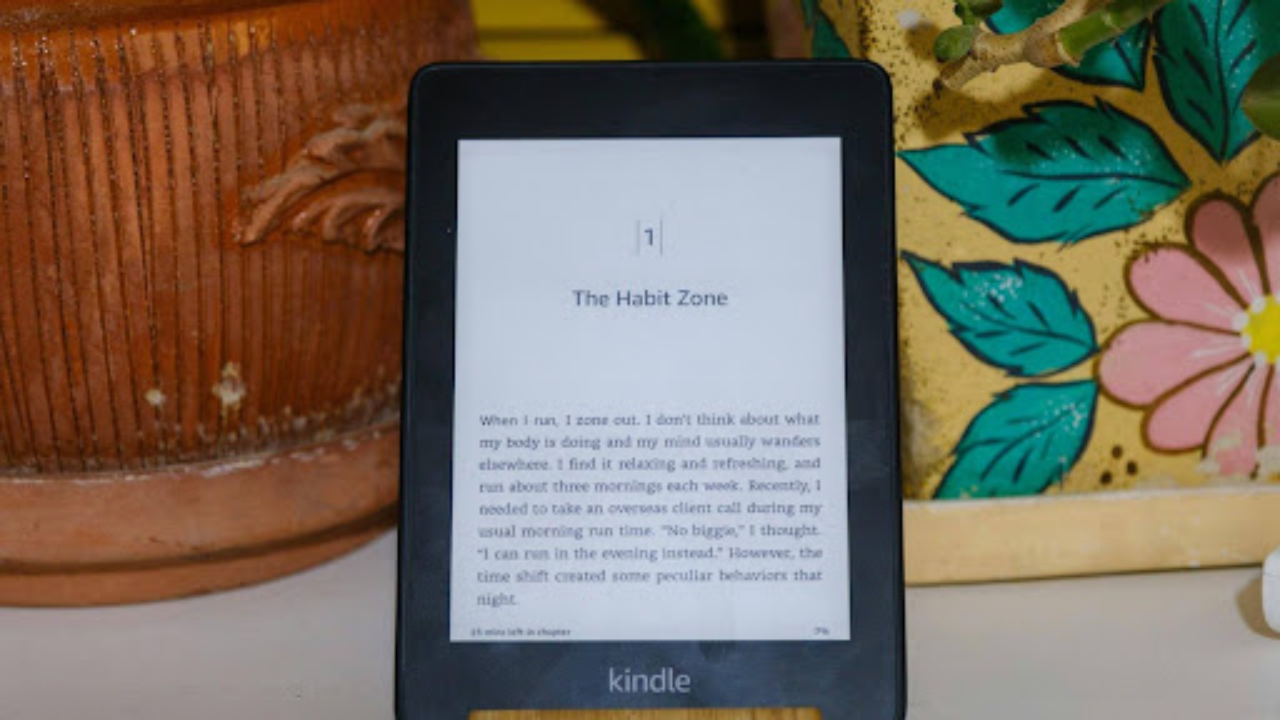
Every current e-ink Kindle ships without a speaker or a headphone socket. Photo: Far Chinberdiev / Unsplash (Unsplash License — royalty-free, commercial use permitted).
“Just read the book out loud” sounds like a solved problem. Speech synthesis has been shipping in consumer operating systems since the 1980s, the text is right there on the screen, and every phone in the country can already narrate a web page. Yet ask a Kindle to read one of your own books aloud and you will hit a wall — and then, if you go looking for a workaround, two more behind it.
The three walls are unrelated to each other. One is hardware, one is software architecture, and one is a browser security boundary that no application can negotiate around. Understanding which is which explains why some workarounds succeed, why an entire category of them cannot, and why the advice you find online is so contradictory.
Wall one: the speakers are gone, and they are not coming back
This is the part that catches out long-time owners, because early Kindles could do it. The Kindle Keyboard and the original Kindle Touch shipped with built-in speakers, a 3.5mm headphone socket and a genuine text-to-speech function you could trigger from the reading screen. It was rough — a flat, robotic concatenative voice — but it read your books.
From the first Paperwhite onwards, the audio hardware disappeared. Speakers, amplifier and socket all cost money, occupy volume in a device competing on thinness, and draw power from a battery whose entire selling point is being measured in weeks rather than hours. Amazon had also acquired Audible a few years earlier, which gave it a rather different commercial route to audio.
Bluetooth returned to the premium models later, but that is wireless audio out — not a speaker, and not a reading feature. On a current Paperwhite, Colorsoft, Scribe or entry-level Kindle there is no way to get sound out of the device without pairing something to it first.
Wall two: a screen reader is not a book narrator
Pair those headphones and you can reach VoiceView, which is where most people’s investigation ends in disappointment. VoiceView works, and for readers with sight loss it is a genuinely important piece of accessibility engineering. It is simply built to a different specification.
A screen reader’s job is to make an interface operable without vision. It walks the accessibility tree, announces control types and states — “button”, “selected”, “heading level two” — and gives the user constant positional feedback so they can navigate. Continuity is explicitly not the goal; interruptibility is.
A narration engine wants the opposite. It needs an uninterrupted stream of body text with the furniture stripped out, sentence-level prosody, and no announcements at all. Feeding a book through a screen reader produces something technically correct and experientially wrong, which is exactly what users report when they describe VoiceView as “not really reading the book”. Nothing is broken. The tool is answering a different question.
Wall three: the browser will not let anyone else in
So people turn to Kindle Cloud Reader, reasoning that if the book renders in a browser tab, a web-based reading tool should be able to pick the text up. This is the most interesting failure of the three, because it is not a matter of engineering effort. It is structurally impossible.
A web page cannot read the contents of a page it does not own. If a tool at some-reader.com embeds read.amazon.com in an iframe and reaches for iframe.contentDocument, the browser returns null. That is the same-origin policy doing precisely what it exists to do — the identical rule that stops a random tab from reading your open banking session. No text nodes, no Range objects, no selection, no highlighting. Amazon additionally sends framing headers that refuse the embed outright, but even without them the origin boundary alone settles it.
This has a consequence worth spelling out, because a lot of published advice ignores it: no purely web-based tool will ever narrate Kindle Cloud Reader. Not a better-funded one, not next year’s. The capability is not on the other side of a hard engineering problem; it is on the other side of the browser’s security model.
Browser extensions are the exception, and for a specific reason. An extension’s content script is injected into the page itself and executes in that page’s context under permissions the user explicitly granted at install time. It is not a third party peering in from outside — it is running inside, with the DOM in front of it. That single architectural difference is the entire reason extensions can narrate pages that websites cannot touch.
What is left, once you know where the walls are
Map the constraints and the workable routes fall out on their own — three of them, covering different parts of a typical library.
On the desktop, a browser extension handles anything rendered in a tab, Cloud Reader included. CastReader is one of the tools built on that model, shipping add-ons for Chrome, Edge and Firefox that read the page as displayed, with mobile apps on iOS and Android for files. Local documents are the second route: EPUB without DRM, PDF, DOCX and even scanned pages via OCR can be opened and spoken directly, which covers public-domain titles, most self-published work and anything you have sent to your own device. The third is the crude but free one — running the Kindle mobile app under VoiceOver or TalkBack, with all the interface chatter that implies.
What none of them will do is lift the DRM on a protected purchase, and that is worth stating plainly rather than treating as a footnote. Circumventing a technical protection measure is unlawful in the UK under the Copyright, Designs and Patents Act, and any tool advertising the capability is telling you something useful about how it treats the rest of its obligations. The legitimate options for listening to Kindle content all work either on files that were never locked or on text the browser is already displaying to you.
How good is synthetic narration now, honestly?
Better than the wall-one-era Kindle by a wide margin. Neural text-to-speech replaced the old approach of stitching together recorded fragments with models that generate the waveform, and the difference is most audible in the things that used to give it away — sentence rhythm, question intonation, the pause at a clause boundary.
The remaining weaknesses are specific and predictable. Proper nouns and unfamiliar surnames are still guessed at. English heteronyms remain a genuine problem: “read”, “lead”, “live” and “wound” are resolved by context that the model sometimes gets wrong, and a mispronounced word every few pages is exactly the sort of thing that pulls you out of the text. Anything visually structured — tables, multi-column layouts, footnotes, code blocks — is a reading-order problem before it is a speech problem, and results vary sharply by how well the extraction step handles the source.
Which points at the sensible use case. For narrative non-fiction, articles, reports and the general backlog of things you meant to get to, synthetic narration is now good enough that the limitation is your time rather than the voice. For a novel you have been looking forward to, a human narrator is doing work no model currently replicates, and it is worth the money.
The short version
Your Kindle will not read to you because the hardware was removed, the accessibility feature that replaced it was designed for navigation rather than immersion, and the browser deliberately prevents outside code from reading a page it does not own. Two of those three have workarounds. Knowing which two saves a considerable amount of time in the search results.
CastReader is an independent product and is not affiliated with Amazon. Amazon, Kindle, Audible and Paperwhite are trademarks of Amazon.com, Inc. or its affiliates.
Publishing notes (for the editor — not for publication)
Word count (article body): 1,255 words (headline and standfirst excluded) — within your 500–1,500 range.
Backlinks: 2 in total, within your two-link maximum.
Link 1: Anchor “CastReader” → https://castreader.com — dofollow requested.
Link 2: Anchor “options for listening to Kindle content” → https://castreader.com/listen-to-kindle — dofollow requested. Both URLs verified live (HTTP 200).
Image file: techktimes-hero-16×9.jpg — 2000 × 1125 px, landscape 16:9, 379 KB, JPEG.
Image source: Far Chinberdiev via Unsplash — https://unsplash.com/photos/BBKr7x7rgK0
Image licence: Unsplash License — royalty-free, commercial use permitted, no attribution required. Caption credit supplied as a courtesy and may be cut.
Uniqueness: Written for Tech k Times and not published, syndicated or offered elsewhere. Verified against the author’s other published work at 0% eight-word-sequence overlap.
UK relevance: Legal note references the Copyright, Designs and Patents Act 1988; spelling and idiom are UK English throughout.
Suggested category: Business & Technology.
Suggested slug: /why-kindle-cannot-read-aloud
Meta description: Amazon removed the speakers, VoiceView was built for navigation rather than books, and the same-origin policy stops any website narrating Kindle Cloud Reader. The three technical walls explained.
